Hangzhou NeoDen Technology Co.,Ltd.
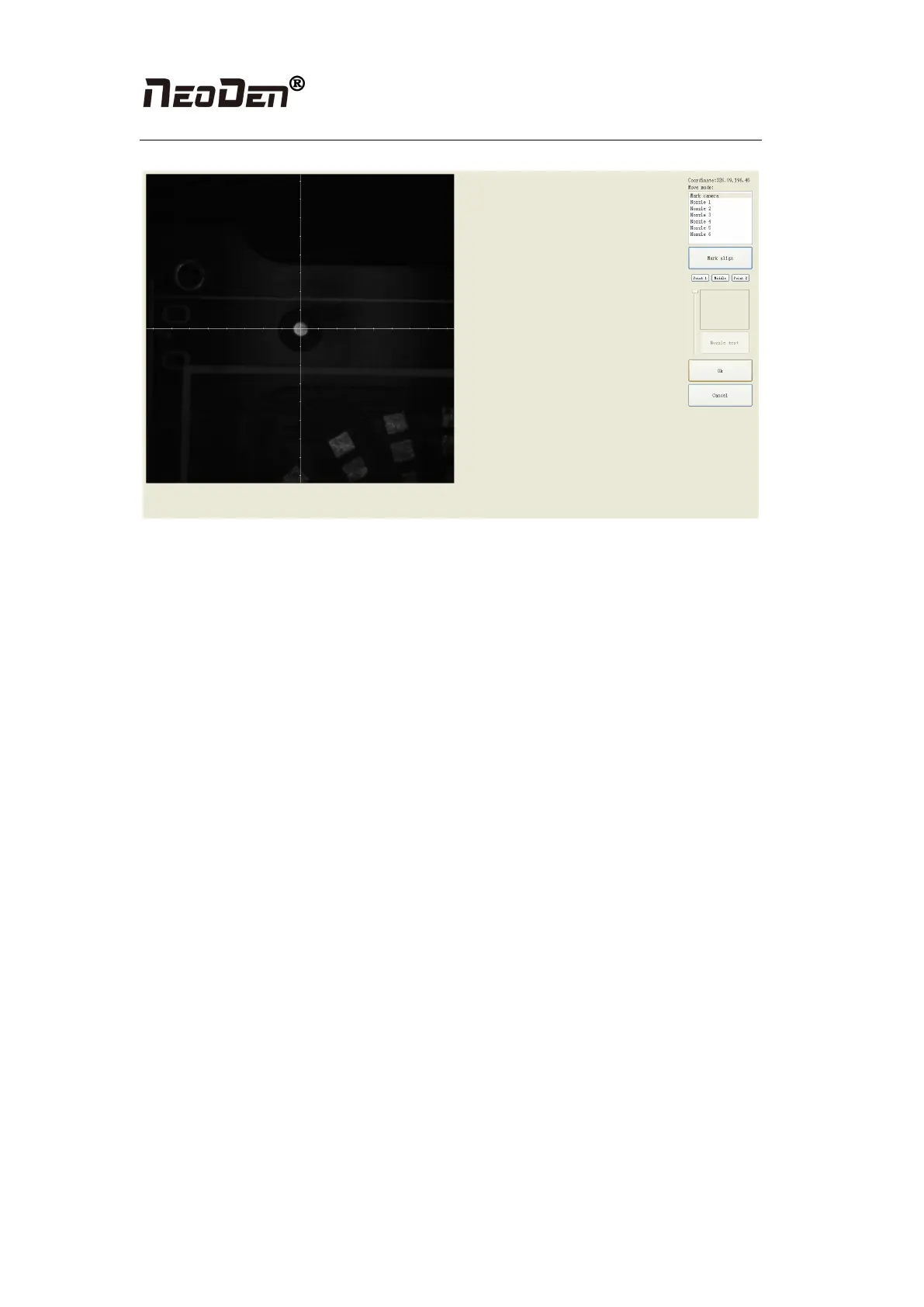
Figure(2.1.3.3)
●Import the coordinate automatically status: the data collection of fiducial, which through
PCB circuit board to find fiducial coordinate information directly, and input directly. Moreover,
there are some information about min, max, light source and brightness in the fiducial list.
◆Min, max value: means the size of fiducial, it has a floated value, which can prevent
recognizing fiducial wrongly.
◆Light source: Dividing into inner and external, if select the hole as fiducial which need
to choose the inner of light source; If select bright spot as fiducial which need to choose the
external of light source.
◆Brightness: The default automatic is generally used, only in special cases need to
change the value
●Manual programming situation: the data collection of fiducial, on the manual programming
status, select the fiducial in the list and click “align”, see figure (2.1.3.3), enter image capture
page, and find the fiducial center via movement, click “fiducial align”, see figure (2.1.3.3),
then click “save”, go back to main page. Another Items (min, mix, light source, brightness)
setting is the same as the above (import automatically) operation. (if need long distance
movement, select visual field to move)
●Manual alignment situation: if there is no available information to set fiducial, we will
choose manual recognition. Notice: Generally, select the first component of mounting
component, select fiducial which is far away with first component and is easy to find, when
setting up like this, the relative mounting result will be better, after reloading process, it needs
to confirm manually.
2.1.3.4 Add or delete fiducial
●Add the quantity of fiducial
●Delete fiducial: when meet fiducial setting wrongly or reset up, tick it and delete directly.


 To Next Page