Hangzhou NeoDen Technology Co.,Ltd.
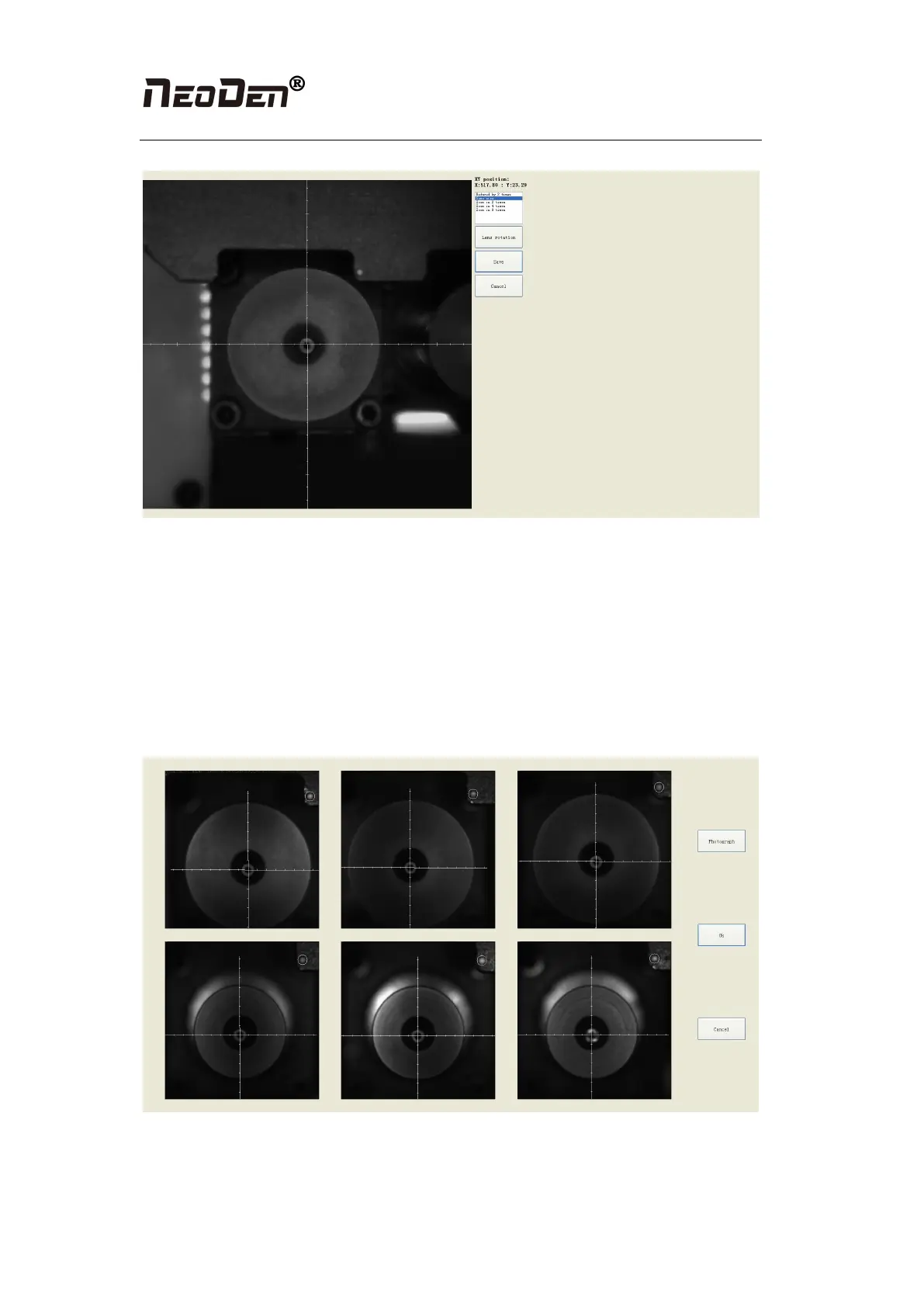
Figure(2.4.2.2-1)
Steps
●Click “Lens Rotation”, seconds later, you will get an overlapped photo of 360-degree rotated
nozzle.
●Use the crosshair to align the centers of nozzle #1 to nozzle #6 (You can zoom in to see it
clearly)
●Click “Save” to save the changes.
2.3.2.3 Flying Camera Position
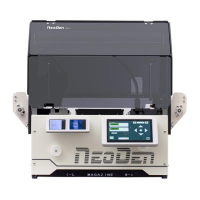
Figure(2.4.2-3)
●Nozzle flying camera center position: flying camera take a picture for the 6 nozzles at the
same time.


 To Next Page