N720 OpenLinux
Hardware User Guide
Copyright © Neoway Technology Co., Ltd
7 Mounting N720 onto the Application Board
N720 OpenLinux is introduced in 100-pin LGA package. This chapter describes N720V5 foot print,
recommended PCB design and SMT information to guide users how to mount the module onto
application PCB board.
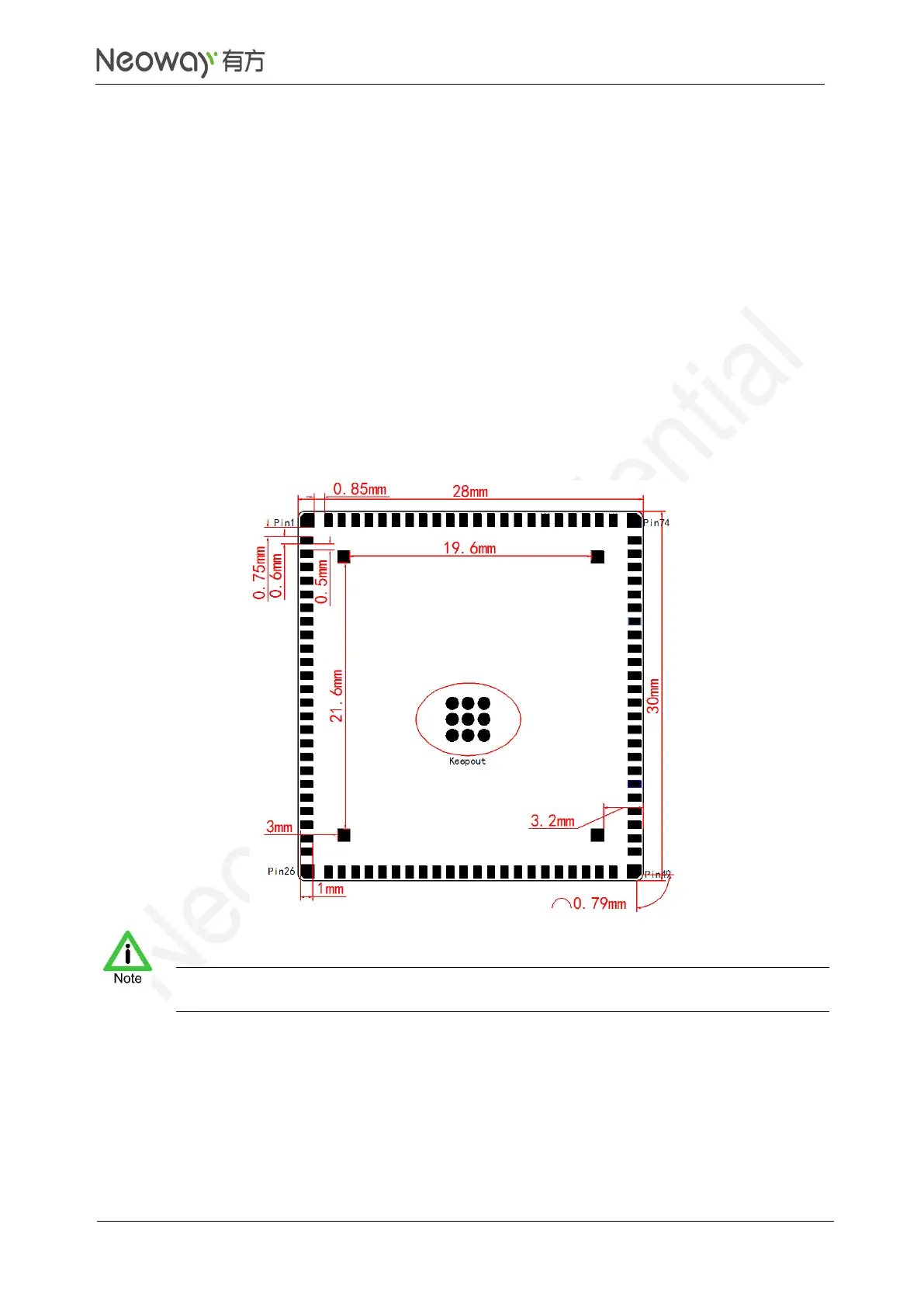
7.1 Bottom Dimensions
Figure 7-1 Bottom view
Do not route any traces, dig holes, or lay copper coil on the PCB under keepout area. If copper coil
is laid, brush green ink or white ink to separate it.



 To Next Page