Initiating RF-Activated Data Logging
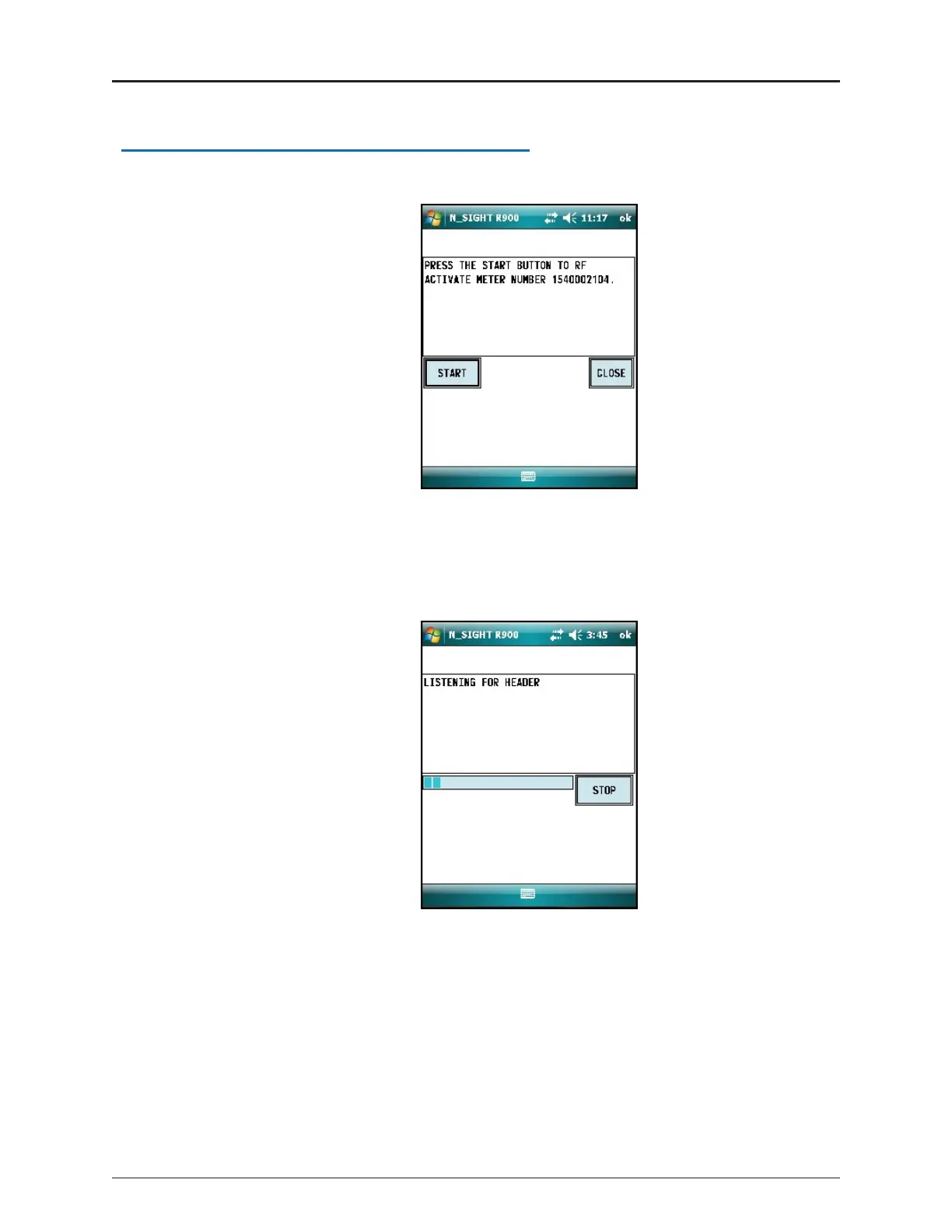
1. Click START to initiate RF-activated data logging.
Figure 23 – Start Button
The R900 BCT activates the ProCoder)R900i and listens for the data logger to start
transmitting.
Figure 24 – Listening for Data
24 ProCoder™)R900i™Installation and Maintenance Guide
Chapter 5: Data Logging Extraction


 To Next Page