Figures
2
4
5
7
11
14
14
15
15
15
16
16
17
19
20
20
21
21
22
22
23
23
24
24
25
25
26
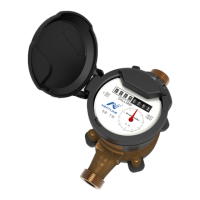
Figure 1 – ProCoder™)R900i™
Figure 2 – ProCoder™)R900i™ Dimensions
Figure 3 – ProCoder™)R900i™ Antenna Dimensions
Figure 4 – ProCoder™ Face and Sweep Hand
Figure 5 – ProCoder™)R900i™ Installation
Figure 6 – ProCoder™)R900i™ Antenna
Figure 7 – Through-the-Lid Antenna
Figure 8 – Locking the Nut on the Antenna
Figure 9 – Securing the Locking Nut
Figure 10 – Installation Complete
Figure 11 – Removing the Dust Cover
Figure 12 – Aligning the F Connector
Figure 13 – Connecting the Coaxial Cable
Figure 14 – HHU Home Screen
Figure 15 – N_SIGHT™ Menu
Figure 16 – DataLogger Option
Figure 17 – Reader IDInput
Figure 18 – HHU Time Confirmation
Figure 19 – Initializing RF Device
Figure 20 – Entering MIU ID
Figure 21 – Capture Button
Figure 22 – Meter Size Selection
Figure 23 – Start Button
Figure 24 – Listening for Data
Figure 25 – Receiving Data
Figure 26 – Graph Button
Figure 27 – Examples of Data Logging Graphs
Figure 28 – HHU Home Screen
27
ProCoder™)R900i™ Installation and Maintenance Guide vii


 To Next Page