5. Open the gateway.
6. Watch for LED activity. See "Installation Troubleshooting" on page72 for definitions and
status indications of LED lights.
There is approximately a three-minute delay before the gateway becomes fully
functional.
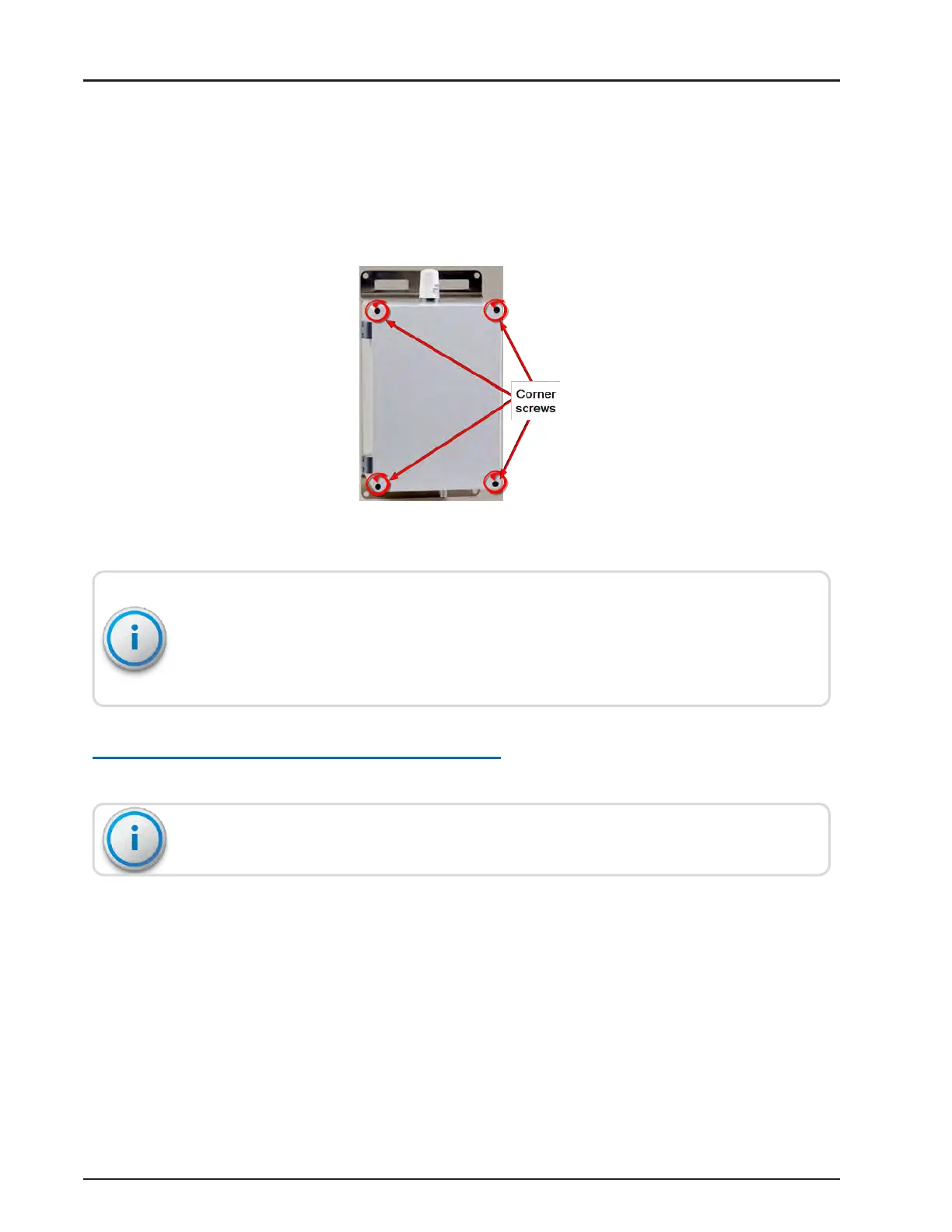
Figure 51 – Gateway Cover Screws
Loosen and tighten the gateway screws in this pattern:
l
Loosen the left screws first, then the right.
l
Tighten the right screws first, then the left.
Configuring the Cellular Modem
See "Configuring the Cellular Modem" on page107 of Appendix D.
Before you begin, you need an active cellular account with the carrier of your choice.
R900
®
Gateway Installation and Maintenance Guide 43
Chapter 4: Install the Gateway



 To Next Page