Connecting the Ethernet Cable
This section is only for kits using the Ethernet backhaul. If you are using a cellular modem,
skip this section.
Prior to connecting the Ethernet port, run an Ethernet cable to the location of thegateway.
Use a shielded category 5e or better Ethernet cable that is rated for outdoor use, and is
sunlight resistant. For example, a Belden cable (P/N 7919A). The Ethernet connector on the
gateway is IP67 rated.
Complete the following steps to connect the Ethernet modem.
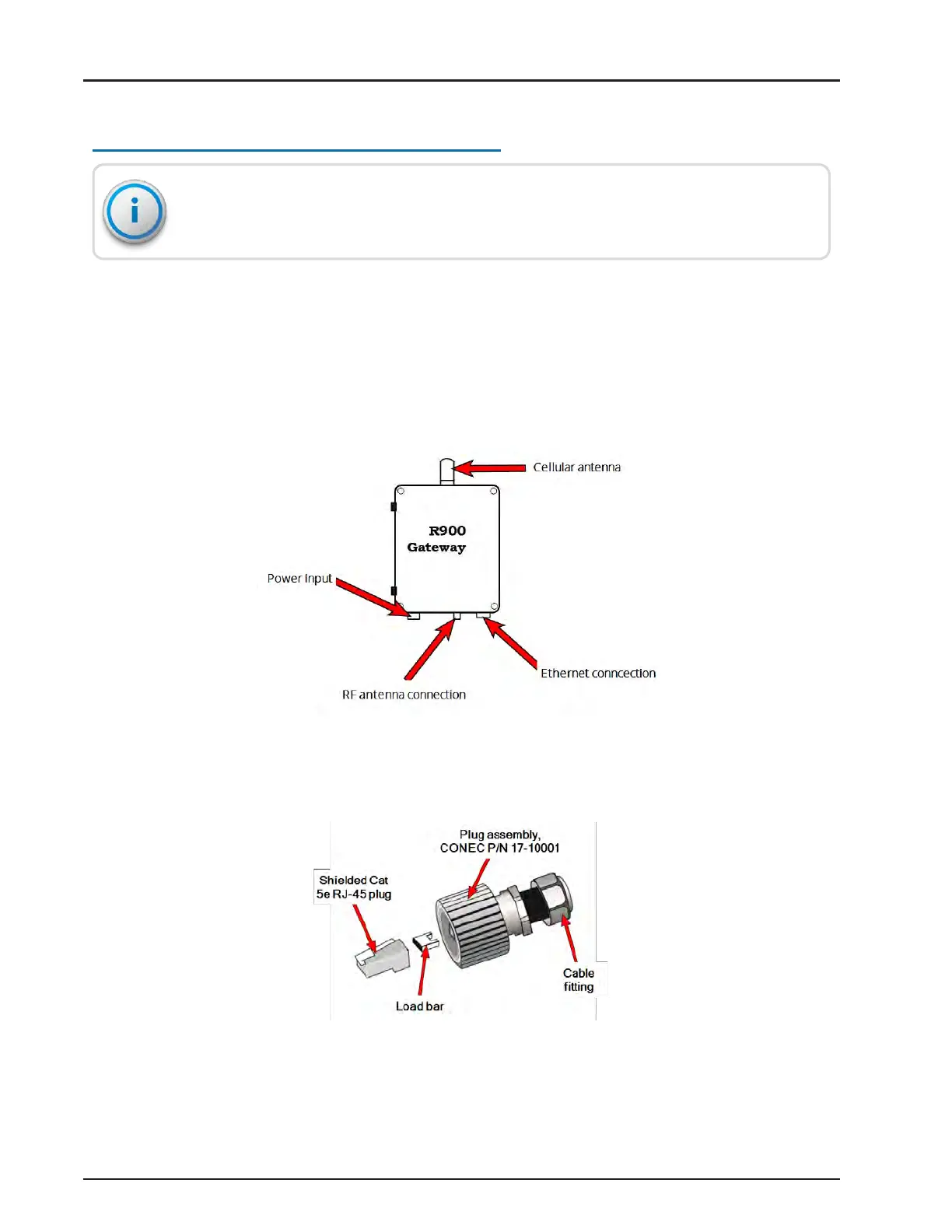
1. Locate the Ethernet port at the bottom of the gateway.
Figure 86 – Port Connection
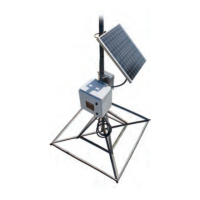
2. Locate the Ethernet plug that's included with the gateway.
Figure 87 – Feed-Through Assembly
R900
®
Gateway Installation and Maintenance Guide 65
Chapter 4: Install the Gateway



 To Next Page