Installing a Large Pole Mount System
This section provides the steps to mount the gateway system on a large pole.
The instructions to mount the gateway system to a large pole are very similar to the
instructions for installing a stand system.
l
Refer to "Mounting RF Antenna to a Pole or Stand" on page29.
l
Note that information bullets, such as these, are included in each section for special
considerations added for the large pole installation.
Mounting the RF antenna to a Large Pole
Complete the following steps to mount the RF antenna to a 5-inch to 16-inch (12.7 cm to
40.65 cm) diameter pole.
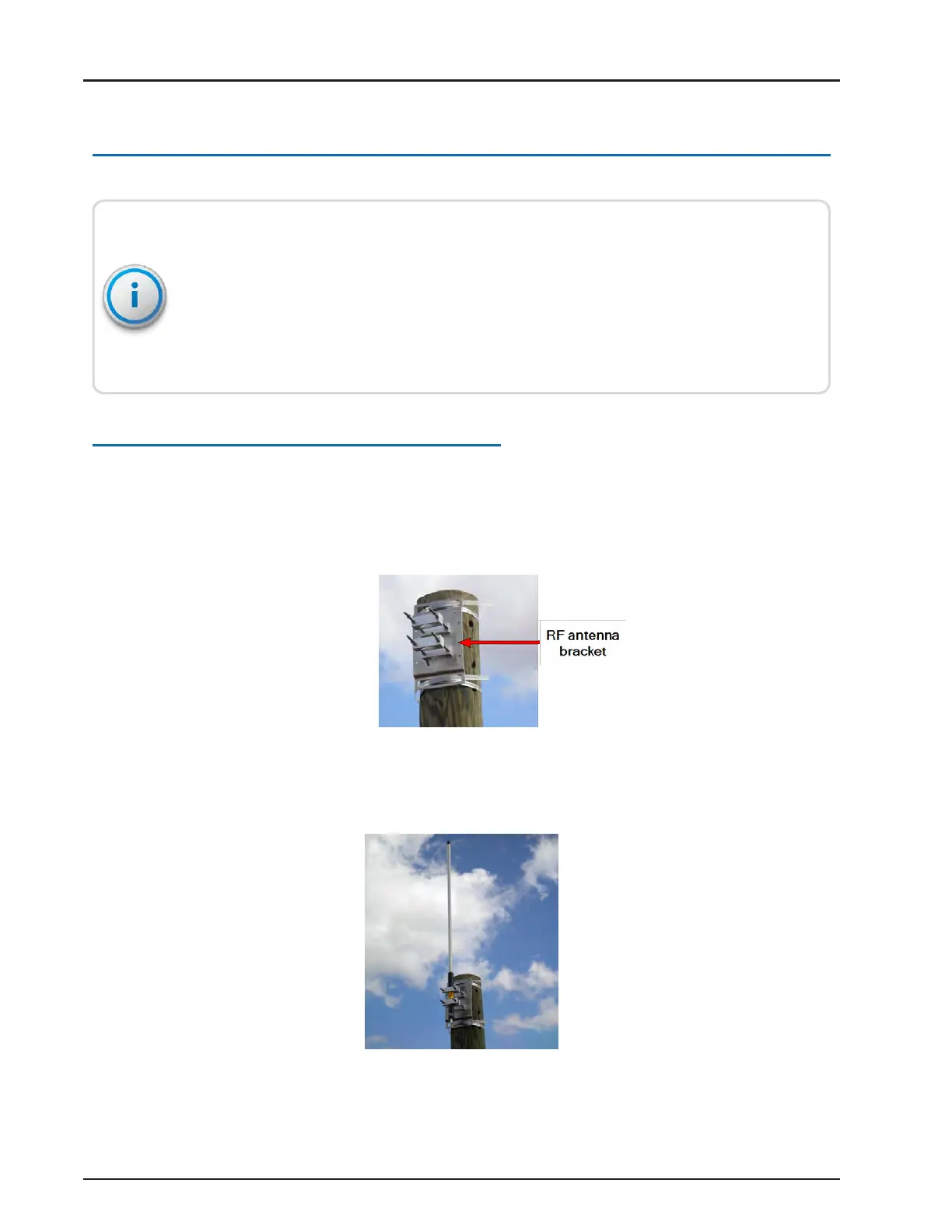
1. Mount the RF antenna bracket to the large pole using the two stainless steel Snaplock
®
clamps.
Figure 52 – Large Pole Bracket
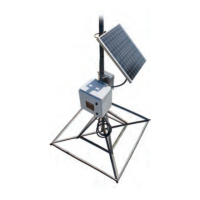
2. Mount the RF antenna to the bracket.
Figure 53 – RF Antenna Bracket
R900
®
Gateway Installation and Maintenance Guide 45
Chapter 4: Install the Gateway



 To Next Page