1. Configure a USB flash drive using the N_SIGHTPLUS host software.
Refer to "Building a USBDrive for Collector Configuration" in the Collectors topic of the
N_SIGHTPLUS Help.
2. Verify the gateway is powered up.
3. Insert the configured USB flash drive into the gateway's USB port.
4. Observe LEDs D500 and D501, which begin to alternate flashing red.
5. When both D500 and D501 begin flashing green, it is safe to remove the USB flash
drive from the gateway.
6. After removing the USBflash drive, the gateway reboots. Allow the gateway
approximately three minutes to complete the boot sequence.
7. LED D501 (BFMIU Activity) begins flashing green to indicate that the gateway has
finished booting and is receiving endpointreadings. However, in areas where the
endpointdensity is high, the green light can remain on constantly to indicate a high
volume of endpoint RF traffic.
Installing the UPS to a Large Pole
This section provides instructions on how to install the UPS to a large pole.
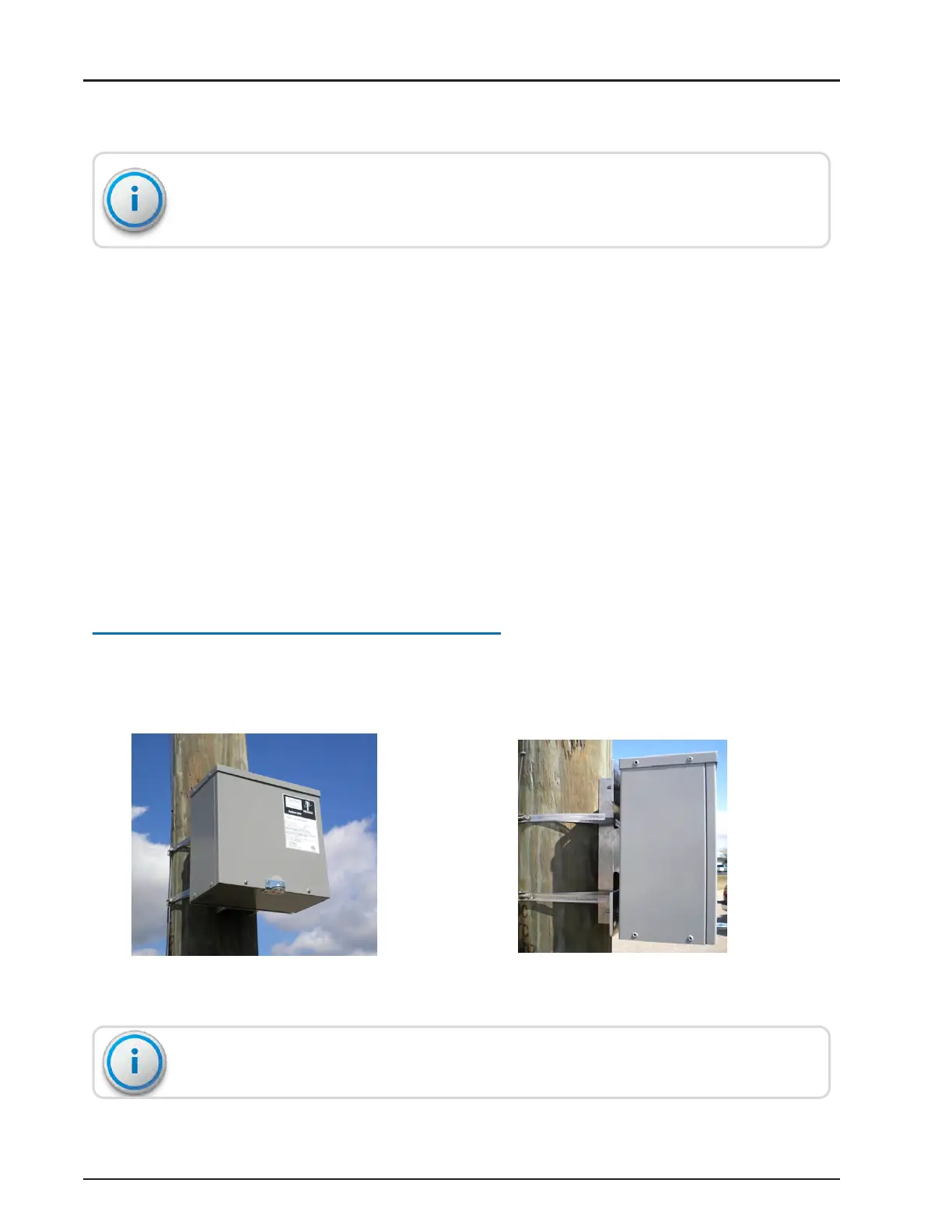
Attach the UPS to a large pole using the two stainless steel clamps as shown in the
following images.
Figure 67 – UPSAttached to a Large Pole
Figure 68 – UPS Attached with Clamps
The UPS is rated for indoor and outdoor use.
R900
®
Gateway Installation and Maintenance Guide 53
Chapter 4: Install the Gateway



 To Next Page