Connecting the Cables to theGateway
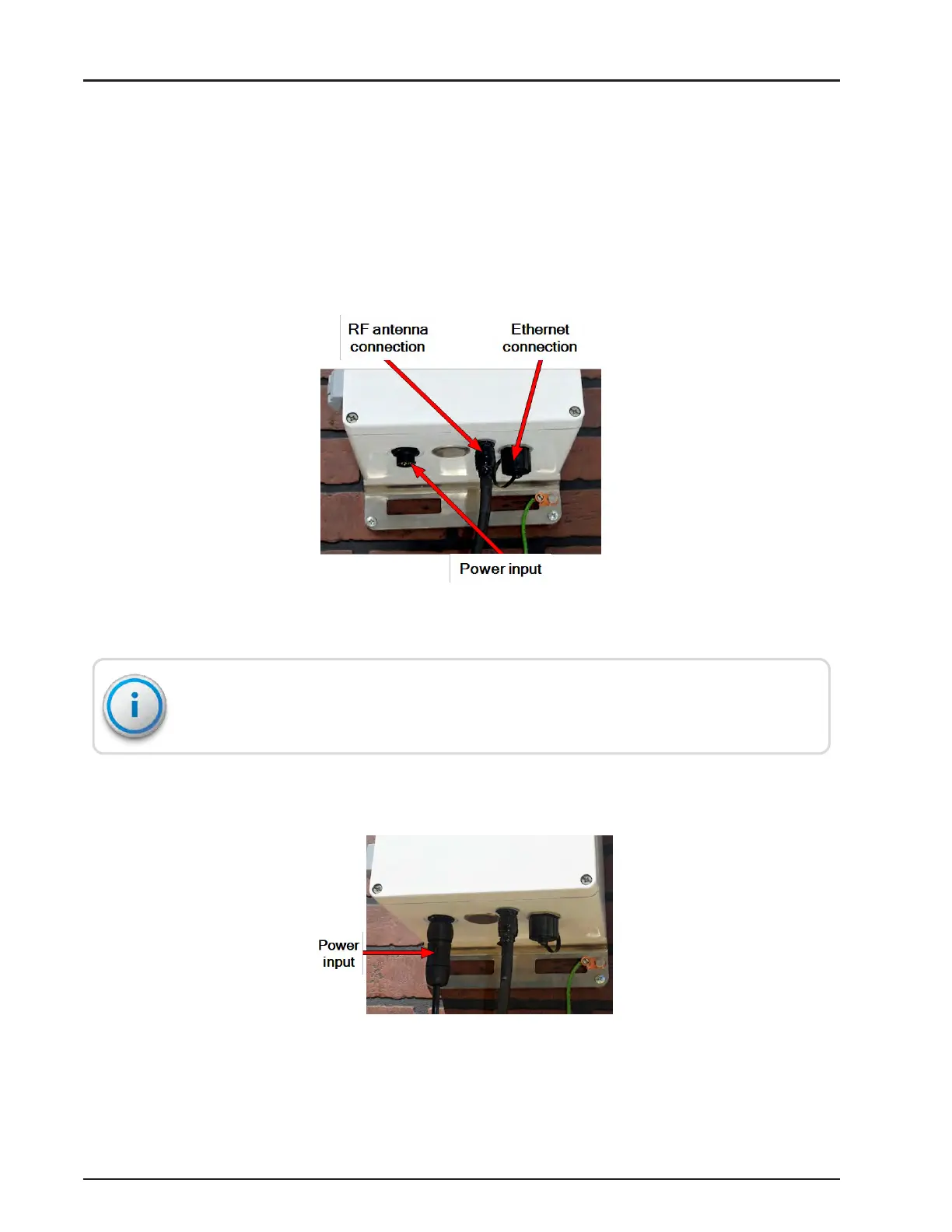
The RF antenna is attached to an outside structure and is connected to the gateway.
Complete the following steps to connect the cables.
1. Attach the RF antenna cable to the bottom of the unit.
2. Weatherize the RF antenna connection using the weatherization kit, as described in
"Recommended Tools and Materials" on page25.
Figure 75 – Adding Gateway Cables
Do not weatherize the power connector. The power connector is IP68-rated and does
not require weatherization wrap.
3. Attach the circular power connector to the gateway by pushing and rotating the connector clockwise
to engage it.
Figure 76 – Power Connector
R900
®
Gateway Installation and Maintenance Guide 59
Chapter 4: Install the Gateway



 To Next Page