Installing a Wall Mount System
The following sections contain the instructions needed to install a wall-mounted system.
Complete Instructions Cellular Ethernet
1
"Mounting the Gateway to a Wall" below
2
"Mounting the RF Antenna and Antenna Mast" on
page61
4
"Mounting the Antenna Mast to the Building" on
page61
"Connecting the Ethernet Cable" on page65
5
"Troubleshooting" on page71
Table 17 – Installing a Wall Mount System
Mounting the Gateway to a Wall
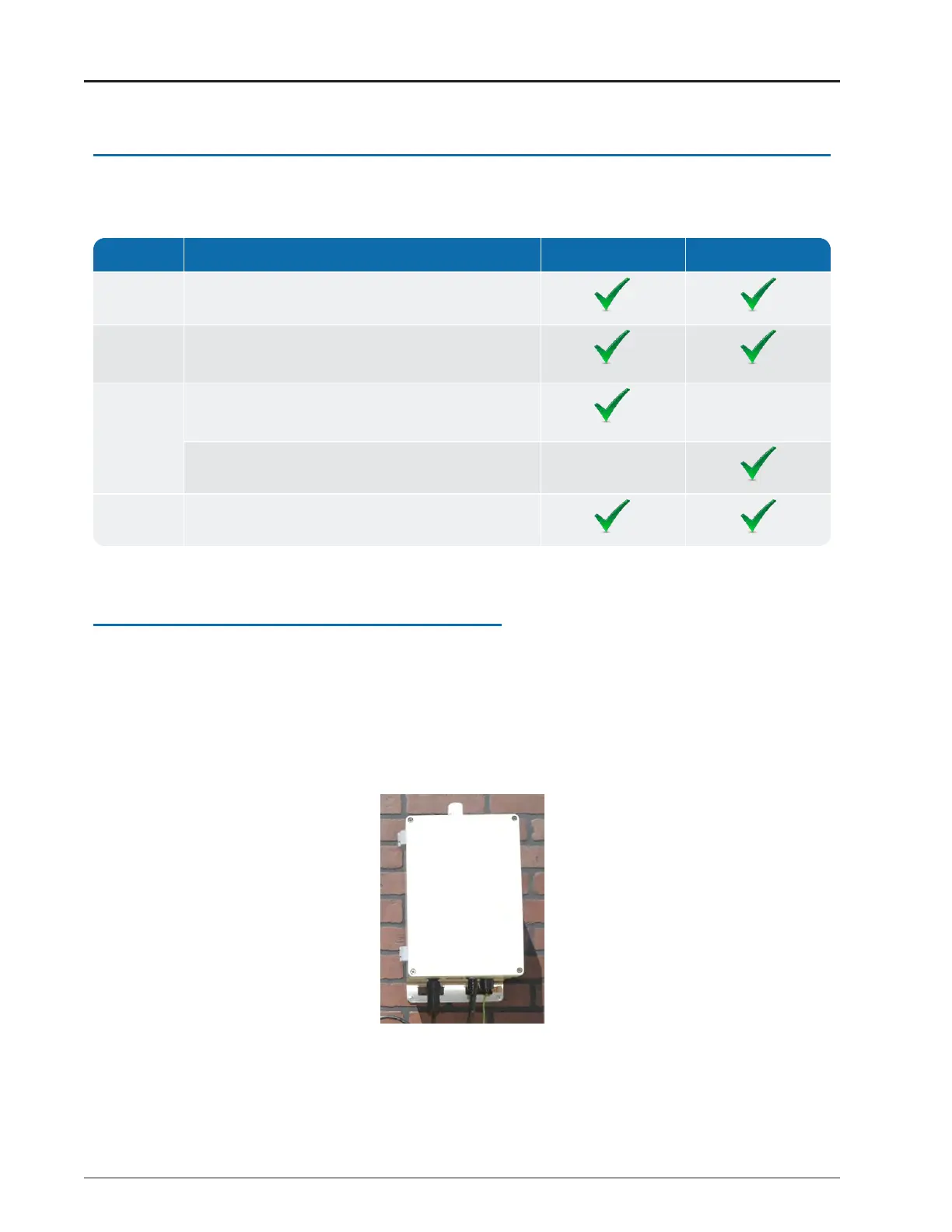
Mount the gateway to a wall, as illustrated in Figure 70, using one of the following methods.
If mounting to:
l
Wood – use #14 corrosion-resistant wood screws.
l
Masonry – use 1 3/4-inch long, 3/16-inch diameter, corrosion-resistant masonry screws.
l
Sheet metal – use #14 corrosion-resistant sheet metal screws.
Figure 70 – Wall-Mounted Gateway
56 R900
®
Gateway Installation and Maintenance Guide
Chapter 4: Install the Gateway



 To Next Page