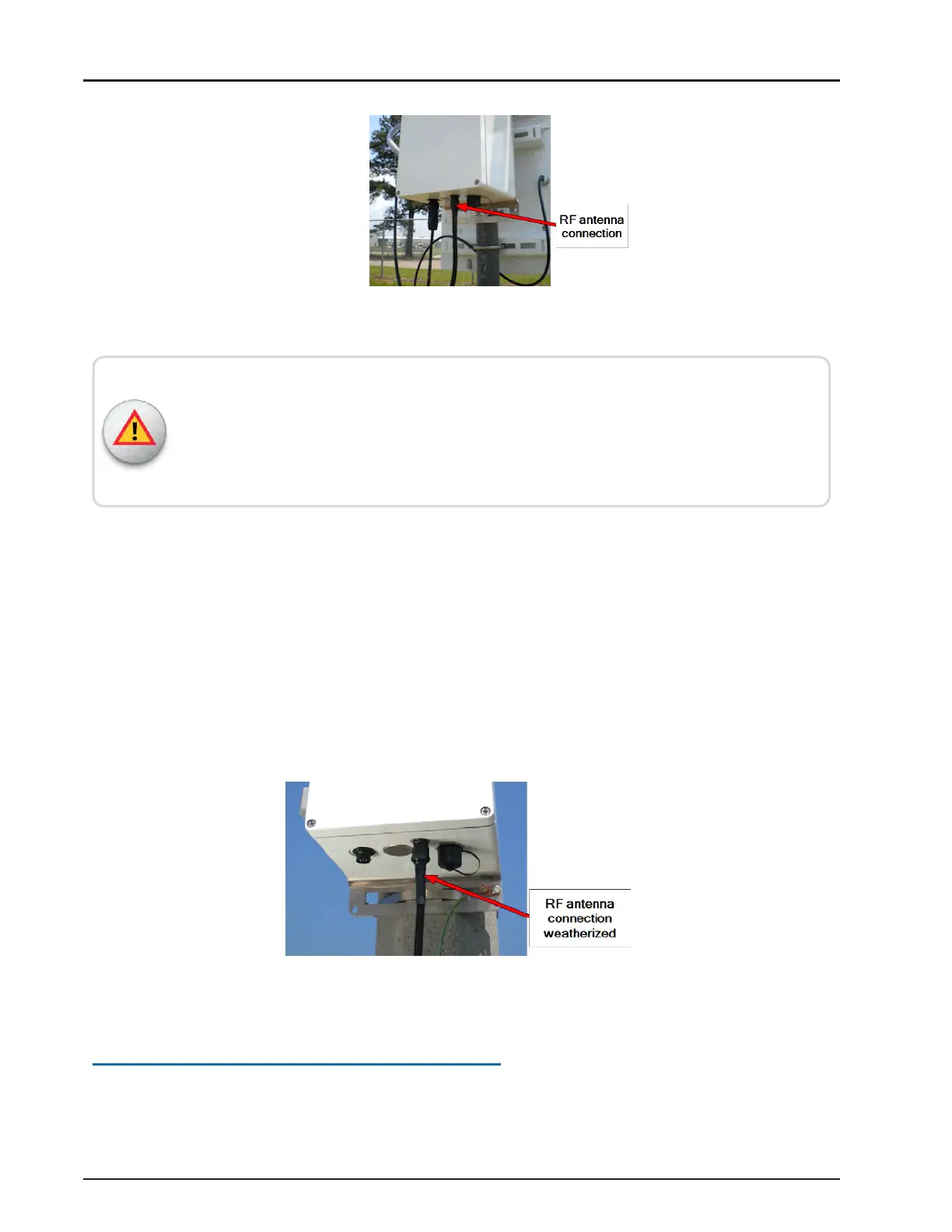
Figure 64 – RF Antenna Cable
Give special consideration when you install the gateway inside a building.
Connect the screen (shield) of the coaxial cable to the earth (grounded) at the entrance
to the building. Make sure the connection meets applicable national electrical installation
codes (Section 820.93 of the National Electrical Code, ANSI/NFPA 70).
Weatherizing the RF Antenna Connection
Complete the following steps to weatherize the RFantenna connection.
1. Use the weatherizing kit, as described in "Recommended Tools and Materials" on
page25.
2. Start the tape at the top of the RF antenna connection.
3. Wrap the tape around the connection several times and slowly work your way
downward. Be sure to overlap the tape at least ¼ inch (0.635 cm).
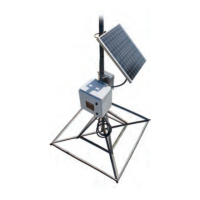
4. When complete, the weatherized port should resemble the following figure.
Figure 65 – Weatherized RF Port
Connecting Power to the Gateway
This section covers connecting power to the gateway.
R900
®
Gateway Installation and Maintenance Guide 51
Chapter 4: Install the Gateway



 To Next Page