Security Gateway Manual Netgate-4200
Disable Redundant/Unnecessary Entries
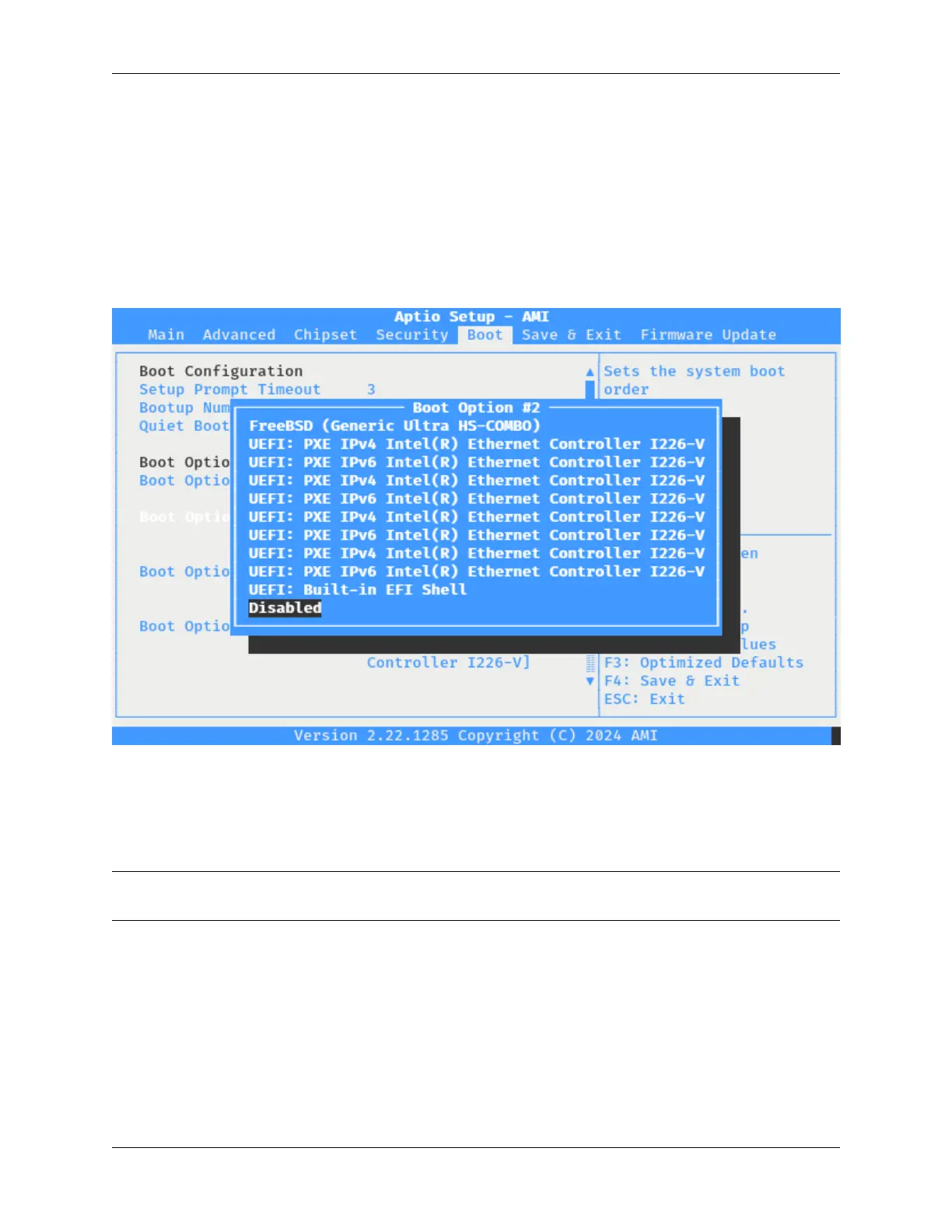
To disable unnecessary entries, such as for PXE or for operating system entries which are no longer present or needed,
take the following steps:
• Highlight the first unnecessary boot option in the list with the up/down arrow keys, for example a PXE boot
option.
• Press the Enter key to open the device choice menu.
• Select the Disabled option using the up/down arrow keys.
Fig. 13: The Netgate 4200 BIOS Boot Device Disabled
• Press the Enter key to select the option.
• Repeat these steps for all other PXE entries.
Note: As each option is disabled, the remaining options move up in the list, so it may appear as though the change is
not having any effect until several of the ports are disabled.
© Copyright 2024 Rubicon Communications LLC 66



 To Next Page