Security Gateway Manual Netgate-4200
Replacing and Fastening the Lid
With the M.2 NVMe SSD in place, the next step is to replace the lid and all of the fasteners.
Danger: Reminder:
• Anti-static protection must be used throughout this procedure.
• Any hardware damage incurred during this procedure is not covered by the hardware warranty.
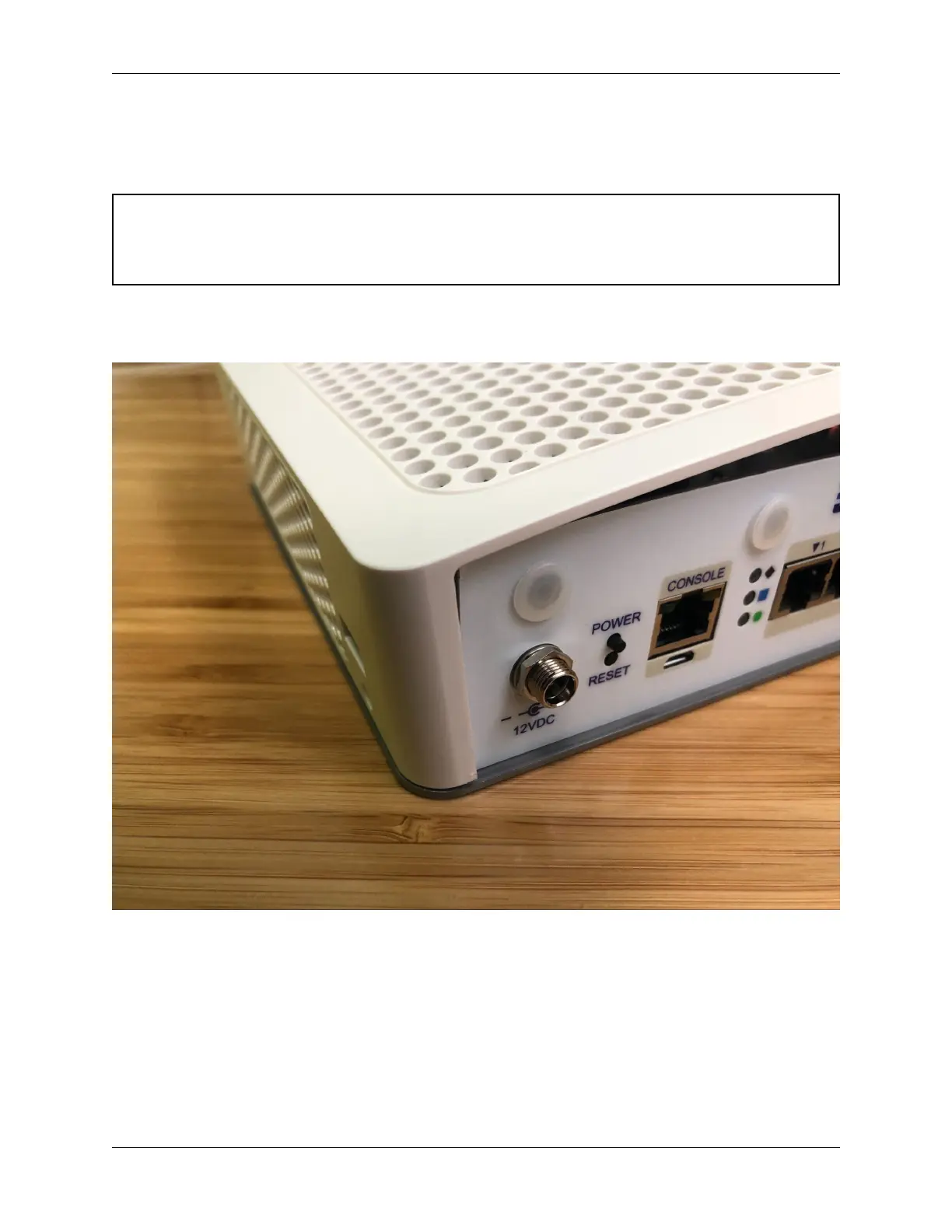
1. Align the internal groove in the lid with the edges of the I/O panel.
2. Lower the left edge of the lid onto the chassis.
Fig. 37: Aligning the left edge of the lid with the I/O panel
3. Continue lowering the lid, turning the system until the front (LED and SIM slot side) is visible.
4. Gently pry the front of the lid away from the chassis just enough to clear the LED light guides and the SIM card
slots while simultaneously squeezing the lid down over the light guides and the SIM slots.
The lid should click into place over the light guides.
5. Check the rear corners of the lid to make sure the I/O panel is fully seated in the lid grooves.
6. Check the alignment of the plastic lid edges with the metal base plate, SIM card slots, USB A opening, etc.
© Copyright 2024 Rubicon Communications LLC 90



 To Next Page