Security Gateway Manual Netgate-4200
7. Turn the device over carefully and protect the surface to avoid damaging the lid.
Tip: An anti-static mat or similar non-marring work surface is ideal for this role.
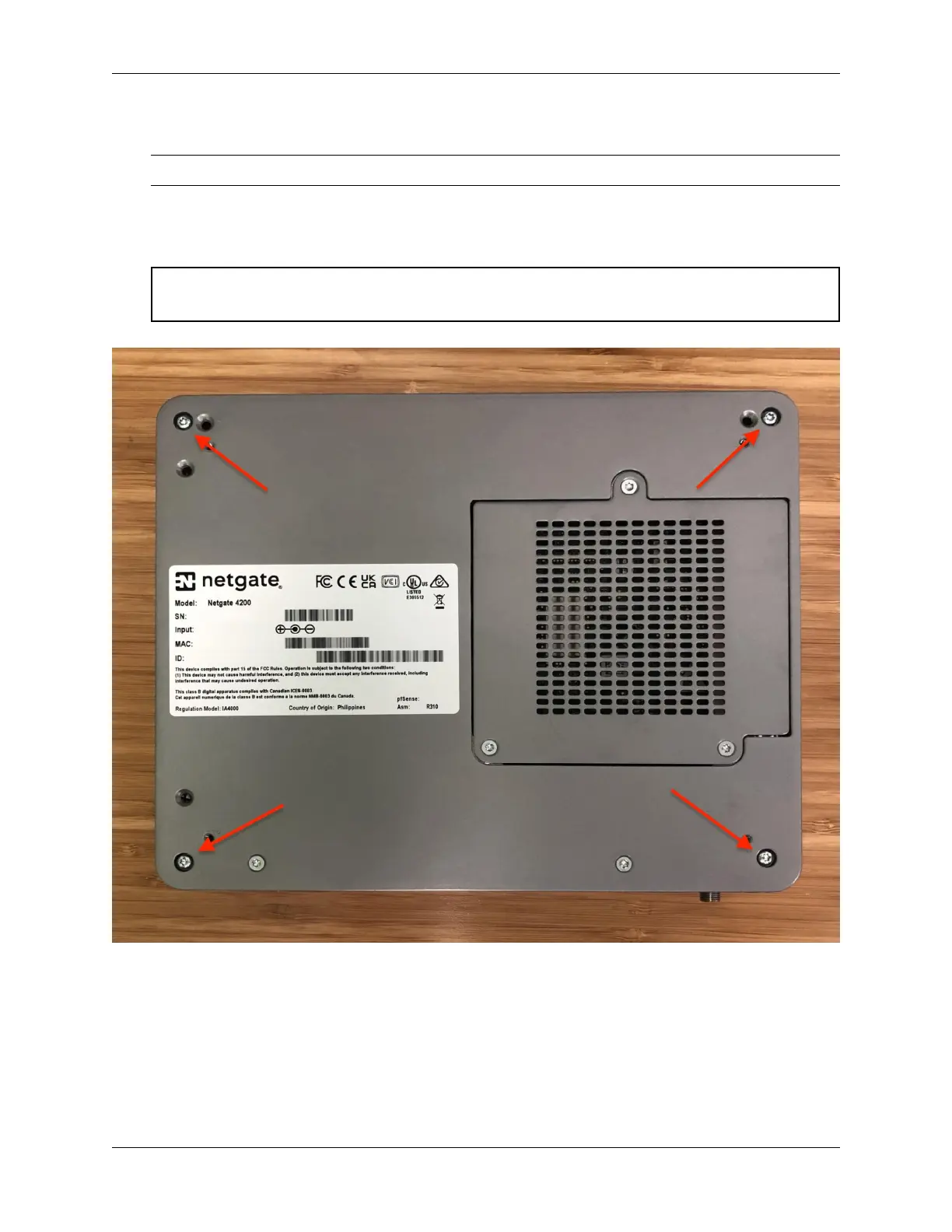
8. Replace the four (4) long T10 Torx plas-tite threaded case screws in the holes (Plas-tite chassis screw locations)
using the T10 Torx driver.
Danger: Use caution when replacing the plas-tite threaded case screws. Do not cross thread or over-
tighten the screws. Over-tightening the screws can crack and permanently damage the plastic lid.
Fig. 42: Plas-tite chassis screw locations
9. Replace the plastic and rubber feet, fastening them in place with the four (4) T10 Torx machine screws and
washers using the T10 Torx driver.
10. Replace the SIM card slot retention screw using the #1 Phillips screwdriver.
© Copyright 2024 Rubicon Communications LLC 95



 To Next Page