The default password is password. The password is case-sensitive.
The HOME page displays.
4.
Select PRESET MODES.
The PRESET MODES page displays. The LOAD tab is automatically selected.
5.
Select GAMING PRESET.
The PREVIEW GAMING PRESET section shows the settings for the Gaming Preset
mode.
6.
Click the APPLY button.
Your settings are saved.
Apply the Media Streaming Preset Mode
The Media Streaming Preset mode maximizes the throughput of traffic that the switch
manages so that streaming media such as music, videos, and movies can be processed
very quickly. If you use the Media Streaming mode, be sure that you connect your media
streaming device to port 2 and the uplink to your router to port 8.
Applying the Media Streaming Preset mode does the following:
•
Sets the QoS port priority for ports 2 and 8 to Critical.
•
Sets the QoS port priority for ports 1 and 3 through 7 to Low.
•
Enables IGMP snooping for the switch (for more information, see Manage IGMP
Snooping on page 75).
•
Disables flow control for all ports (for more information, Manage Flow Control for a
Port on page 41).
•
Disables power saving for the switch (for more information, see Manage the Power
Saving Mode on page 91).
•
Sets the QoS mode to port-based (for more information, see Use Port-Based Quality
of Service and Set Port Priorities on page 35).
Before you apply the Media Streaming Preset mode, you can save your current QoS,
port prioritization, multicast, flow control, and IGMP snooping settings and other settings
as a custom preset mode (see Save Your Quality of Service Settings as a Custom Preset
Mode on page 32) so that you can easily revert to your current QoS configuration.
To apply the Media Streaming Preset mode:
1.
Open a web browser from a computer that is connected to the same network as the
switch or to the switch directly through an Ethernet cable.
2. Enter the IP address that is assigned to the switch.
User Manual30Optimize the Switch
Performance
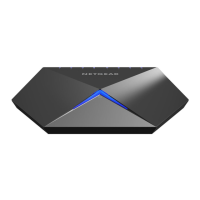
Nighthawk S8000 Gaming & Streaming Advanced 8-Port Gigabit Ethernet Switch (GS808E)




 To Next Page