15
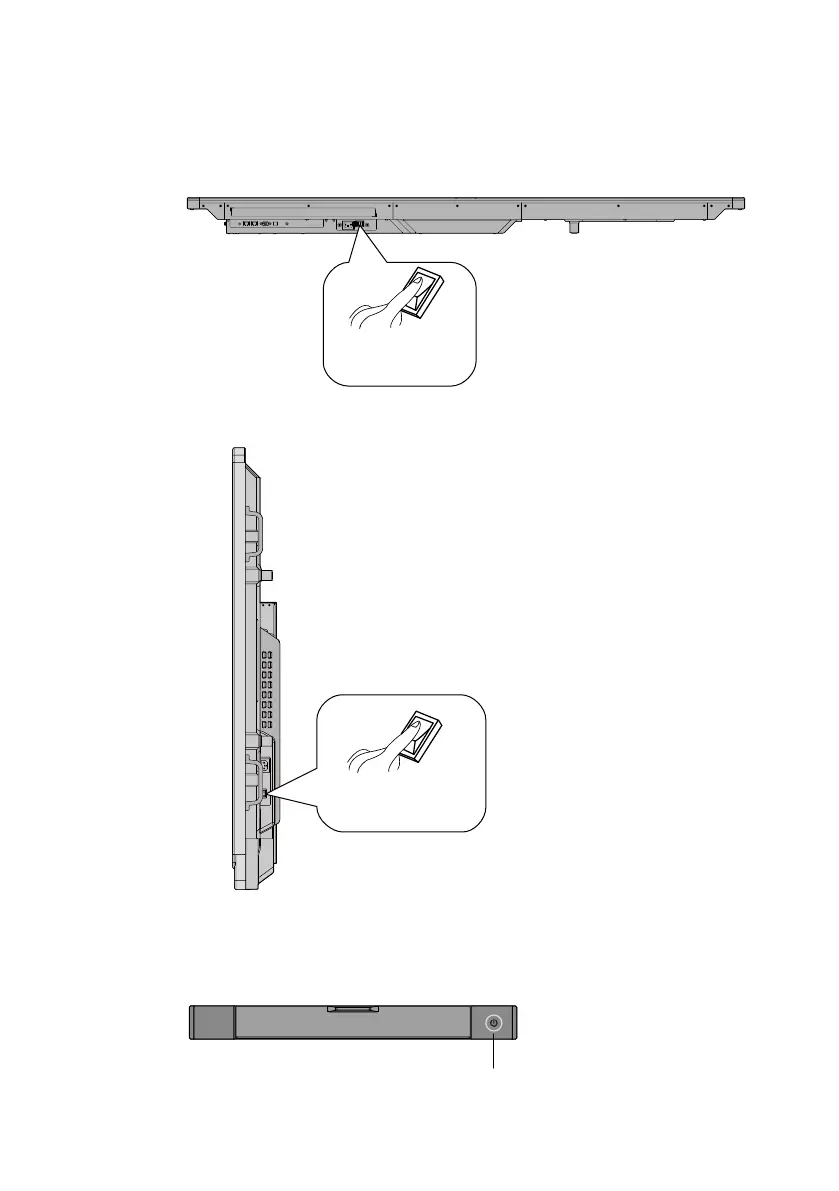
Connect the display to the power supply. Switch on the r
ocker switch (on the
right bottom of the rear of the display, next to the power port) to enter the
standby mode. The power indicator will turn red once in standby mode.
Press the power switch on the control panel, or Power on the
remote control, to turn on the interactive display. The OPS will also turn
on. Once the display is on, the power indicator will turn green.
Step 2:
Step 3:
Rocker switch
(next to the power port)
Rocker switch
(next to the power port)
Power switch
(on the front pannel)
For 65" / 70"
For 75" / 80" / 86"








 To Next Page