24
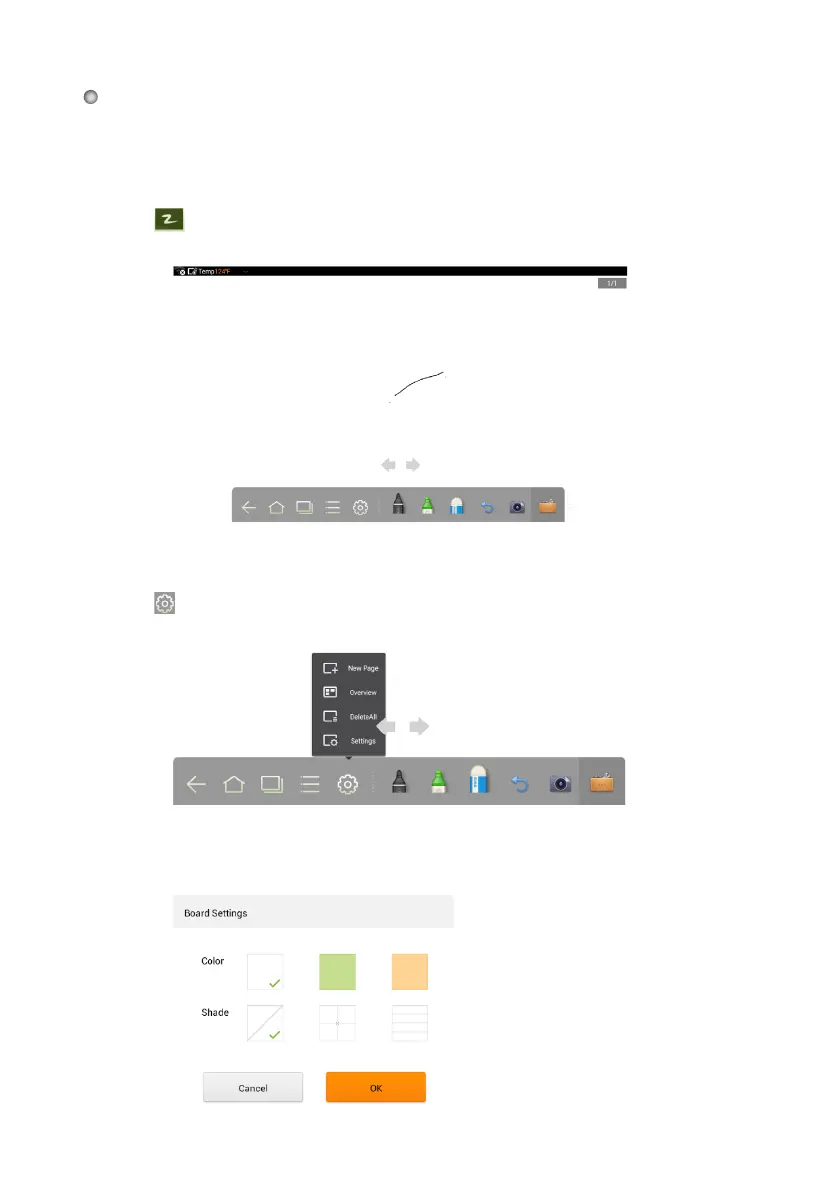
The whiteboard provides a writing function. In the whiteboard program, you can select
a pen, pen weight, and color to write with and use an eraser to erase content on the
whiteboard. You can also easily print, save, and clear the content on the screen.
Click
on the toolbar or press Whiteboard on the remote control to enter
whiteboard mode.
Click Settings to set the color and shade of the whiteboard, as shown in the following
figure:
Whiteboard
New Whiteboard and Settings
Click in the displayed menu to use the New Page, Overview, Delete All or
Settings functions.








 To Next Page