21
● To ensure touch accuracy, use the pen provided with the interactive display
rather than a finger to perform calibration.
● Calibration errors may cause touch function failure on the interactive
display. In this case, you need to perform calibration one m
ore time.
● During the calibration process, you can press ESC on the keyboard to exit.
● The calibration interface varies between different software versions. Please
follow the actual instructions provided on the interface.
TIP
OPS Installation
WARNING
Please insert the OPS when the interactive display is disconnected from
the power.
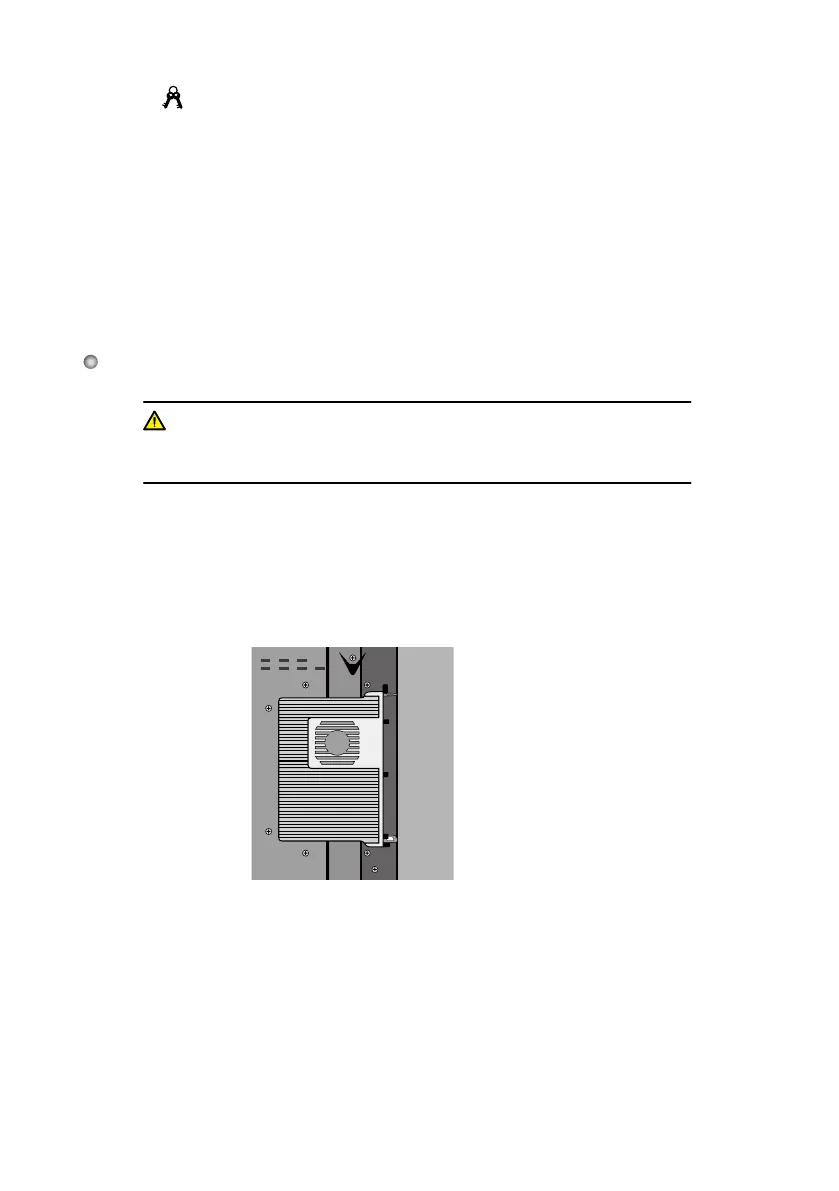
Install the OPS by the following steps:
Step 1:
Step 2:
Step 3:
Insert the OPS into the special slot on the rear of the interactive display.
Tighten the
screws.
Confirm the OPS installed correctly.








 To Next Page