20
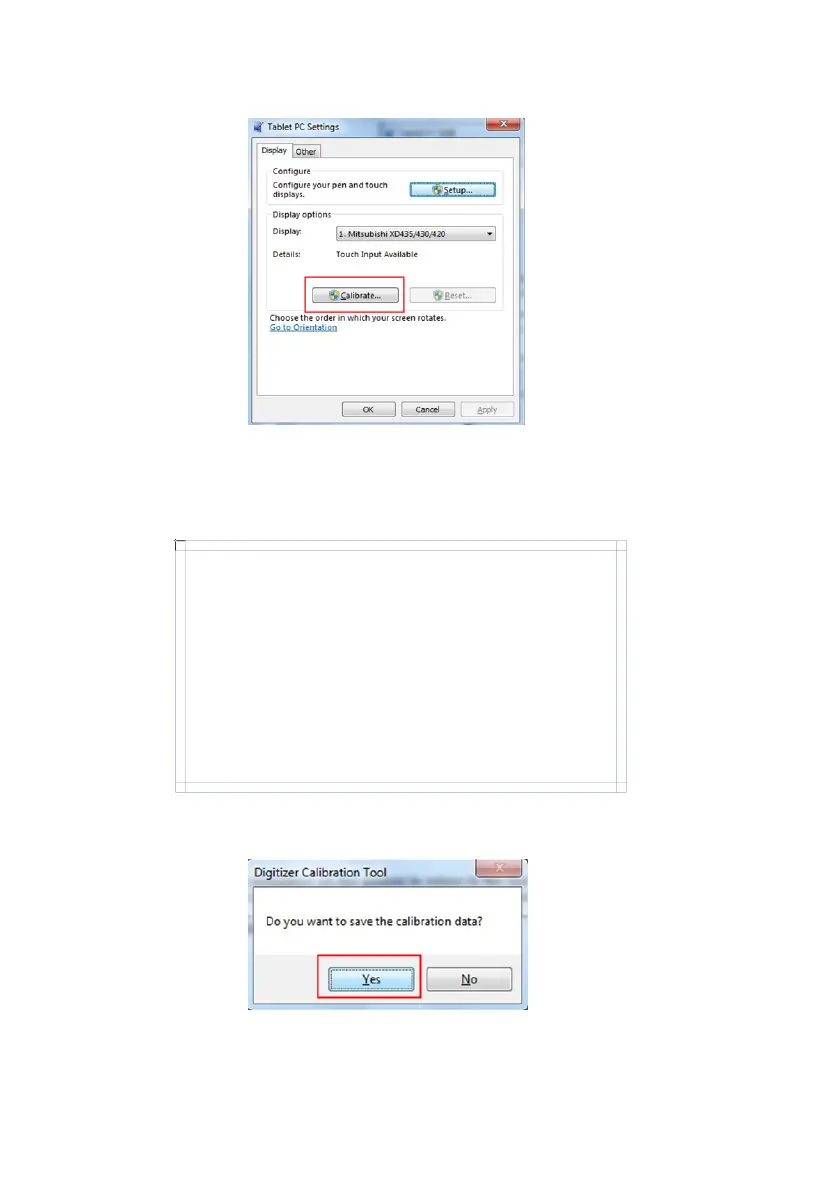
Click Yes after the calibration is completed.
Use the pen to click and hold the center of the flickering target. Do not
release it until the target moves to the next point. Repeat and complete
the calibration process according to instructions on the interface.
Step 5:
Step 4:
To p rov ide c alib r atio n sam ples, tap the cro s shai r ea c h ti me t hat i t
appears on the screem.
Right-click anywhere on the screen to return to the last calibration
point. the Esc button to close the tool. Do not change your screen
orientation until you have completed the calibration process.
Click Calibrate in Tablet PC Settings window.Step 3:








 To Next Page