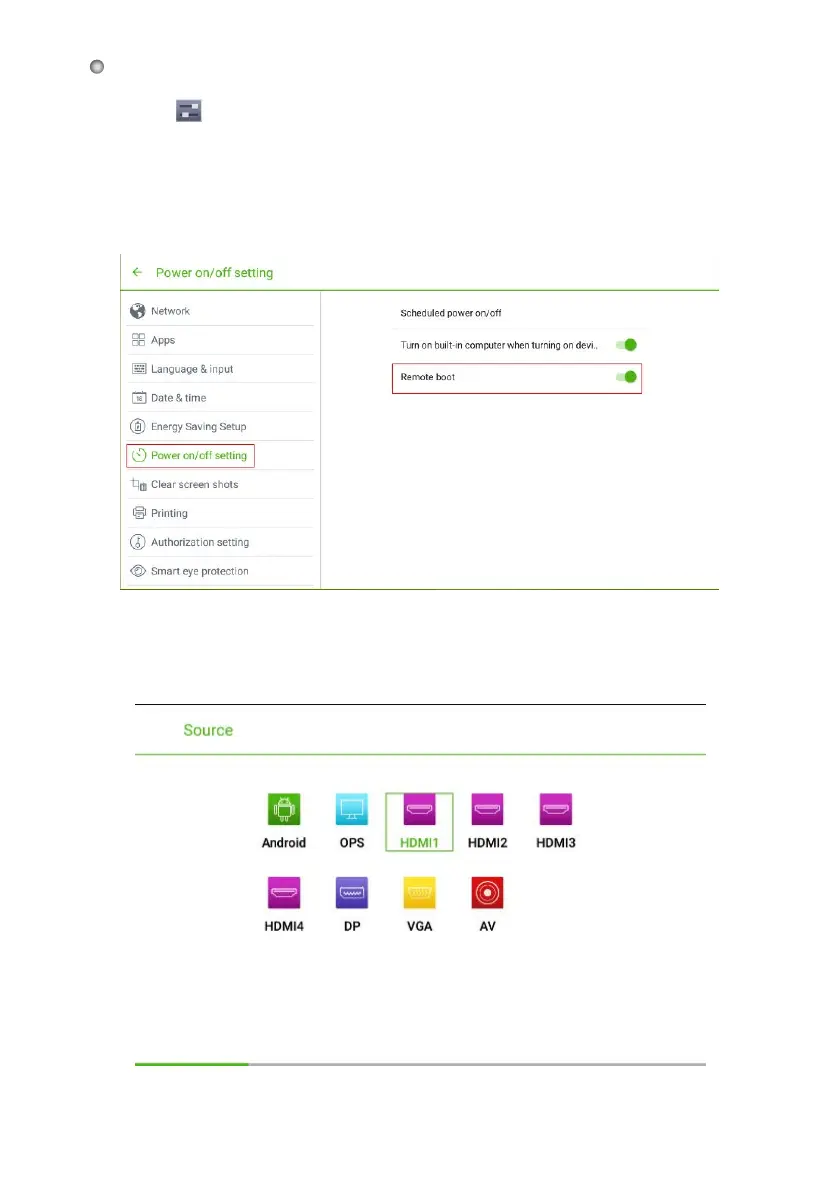
Remote Boot the Display
Click
on the toolbar to enter the system settings interface. You can click the
●
Power On/Off Setting item to turn on the remote boot function. The administrator
can send requests via LAN using the display's MAC address to power on remotely.
To use this function successfully, the display should be powered off and connected
to the control center by a LAN Cable into the same network.
●
To obtain the MAC address of the display:
Enter the Source page, either by using "SOURCE" on the remote control, or
"Source" on the front control panel.
●
32








 To Next Page