30
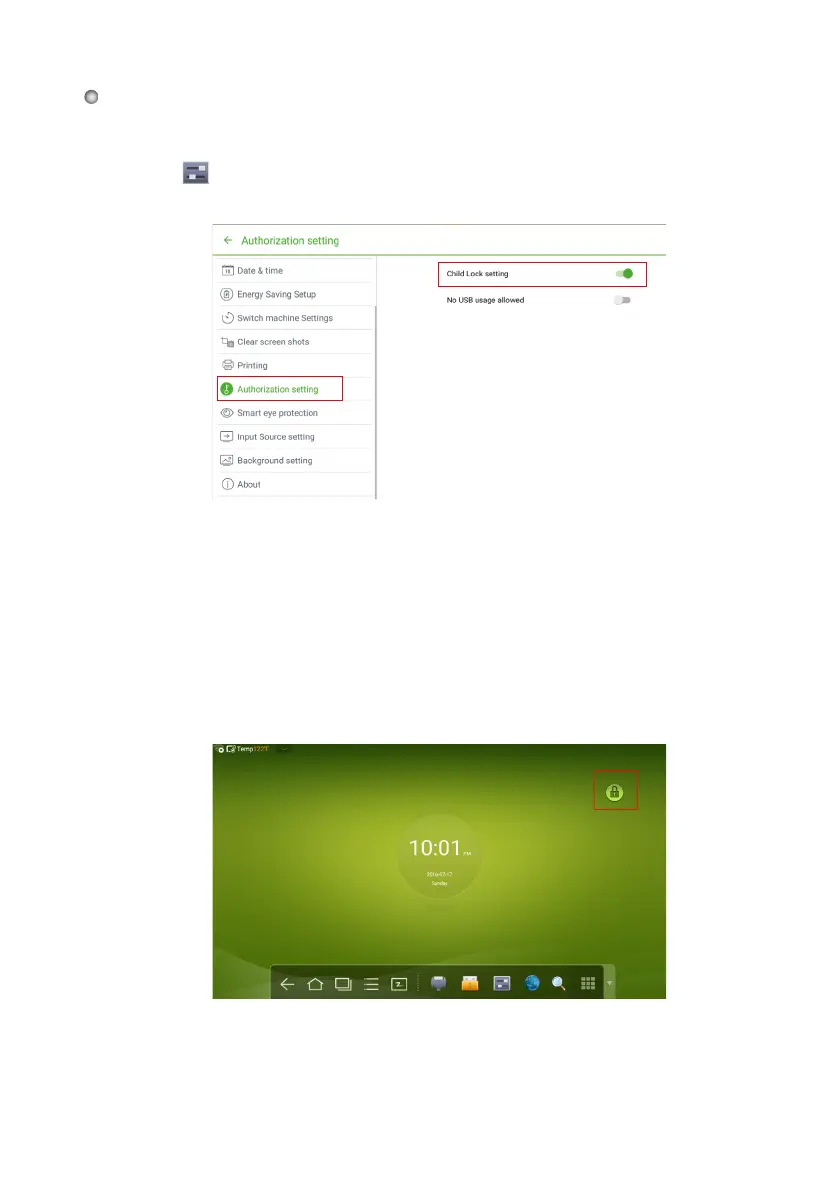
An icon will show on the top-right corner of the touch display, as seen
in the following figure, if the device is in Child Lock mode.
Click
on the toolbar to enter
the System Settings interface. You can click the
Authorization setting item to turn on the Child Lock function.
●
●
●
Press ECO button on the front panel for more than 5 seconds to enter Child Lock
mode. Under Child
Lock mode, press ECO for more than 5 seconds again to unlock.
Press ECO button on the remote control for more than 5 seconds to enter Child
Lock mode. Under Child Lock mode, press ECO for more than 5 seconds again to
unlock.
You can turn
the Child Lock Setting function on/off using the three methods below:
Child Lock Setting








 To Next Page