11
SECTION 3. GETTING STARTED
Caution: The meter has no power-on switch, so it will be in operation as soon you
apply power.
If you power off/on the meter, or perform a hard reset (press the RESET button twice), the meter
shows "RST", followed by "RTD".
3.1 RATING/PRODUCT LABEL
This label is located on top of the meter housing (Refer to Figure 3-4).
3.2 MAIN BOARD POWER JUMPERS
Important: If you want to change the Factory preset jumpers, do the following steps;
otherwise go to section 3.3.
Warning: Disconnect the power from the unit before proceeding. This device must
only be reconfigured by a specially trained electrician with corresponding
qualifications. Failure to follow all instructions and warnings may result in injury!
To check voltage jumpers, or to change from 115 V to 230 V ac:
1. Remove the main board from the case. Refer to Section 2.6.
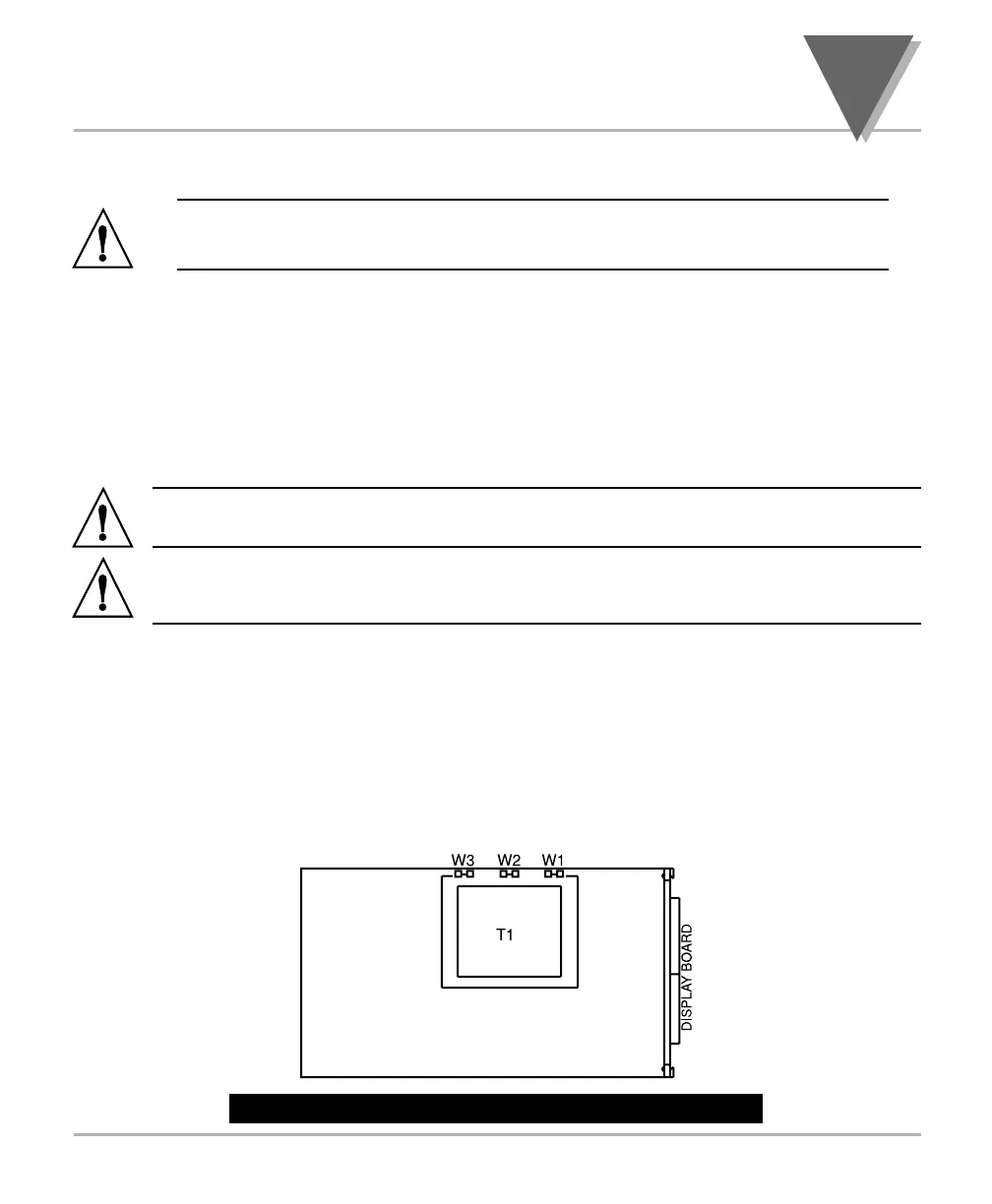
2. Locate the solder jumpers W1, W2, and W3 (located near the edge of the main board
alongside the transformer - refer to Figure 3-1).
3. If your power requirement is 115 V ac, solder jumpers W1 and W3 should be wired,
but jumper W2 should not. If your power requirement is 230 V ac, solder jumper W2
should be wired, but jumpers W1 and W3 should not.
Figure 3-1 shows the location of solder jumpers W1 through W3 on the main board.
Figure 3-1. Main Board Power Jumpers (W1, W2, W3)
3



 To Next Page