EasyManua.ls Logo

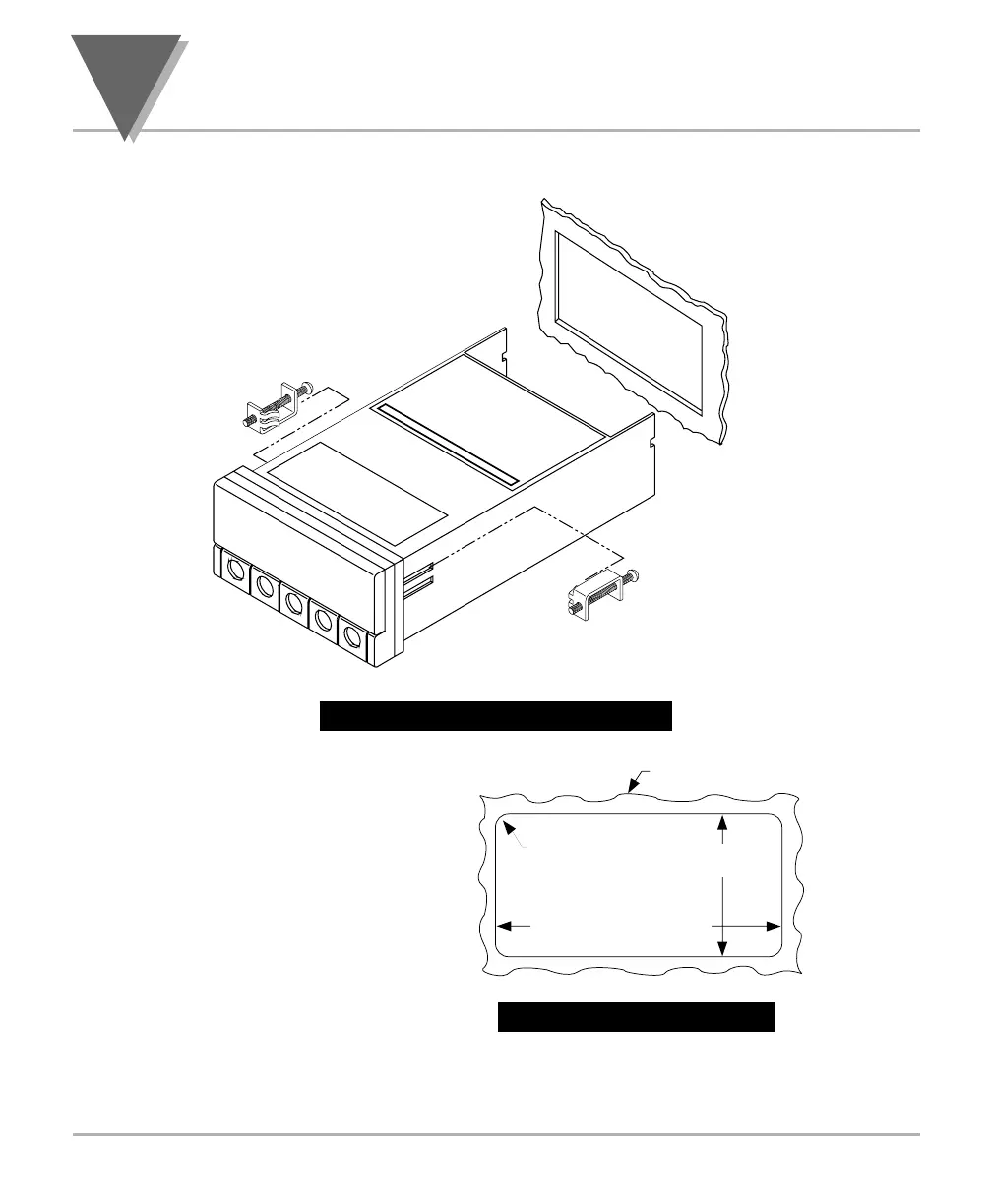
Newport Electronics INFINITY Series - Panel Mounting; Figure 3-4. Meter - Exploded View; Figure 3-5. Panel Cut-Out

Newport Electronics INFINITY Series
56 pages
Print Icon
To Next Page IconTo Next Page
To Previous Page IconTo Previous Page
Loading...
3
Getting Started
3.3 PANEL MOUNTING
Figure 3-4. Meter - Exploded View
1. Cut a hole in your panel, as
shown in Figure 3-4. For
specific dimensions refer to
Figure 3-5.
2. Insert the meter into the hole.
Be sure the front bezel is flush
to the panel.
3. Proceed to Section 3.4 to
connect your sensor input and
main power.

MOUNTING BRACKET
BEZEL
CASE
CONNECTOR
LABEL
R
E
A
R
C
O
V
E
R
(R
E
M
O
V
E
D
)
P
A
N
E
L
PRODUCT LABEL
14
45,00 + 0,61/-0,00
(1.772 + .024/–.000)
92,00 + 0,81/–0,00
(3.622 + .032/–.000)
PANEL THICKNESS
1,5
R
(.06)
4 PLCS
6,4 (.25) MAX
0,8 (.03) MIN
NOTE: Dimensions in Millimeters (Inches)
Figure 3-5. Panel Cut-Out

Table of Contents

Related product manuals