Copyright © 2016 NEXCOM International Co., Ltd. All Rights Reserved.
21
NDiS M535 User Manual
Chapter 3: System Setup
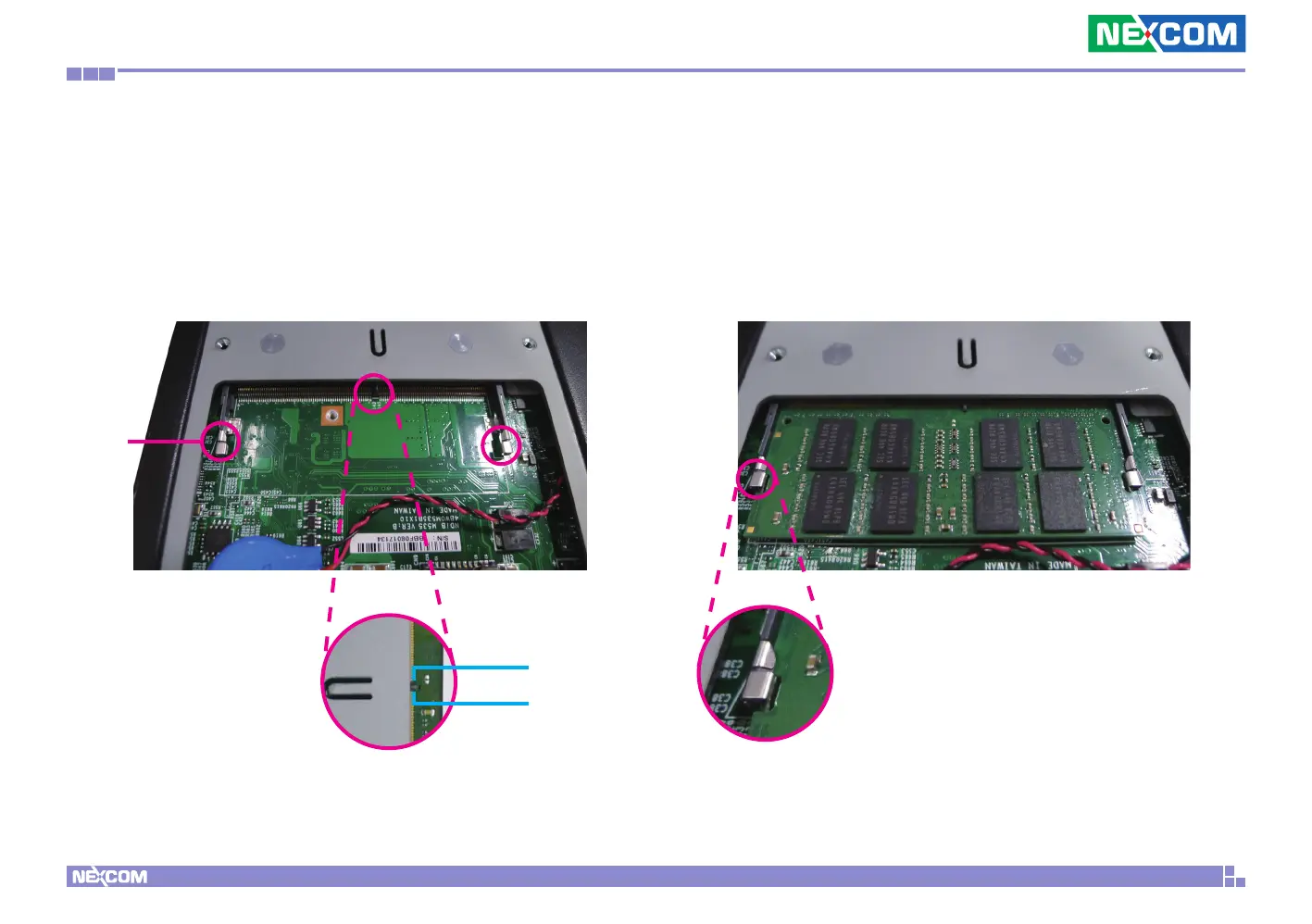
2. Push the ejector tabs which are at the ends of the socket outward. This
indicates that the socket is unlocked.
Note how the module is keyed to the socket. Grasping the module by
its edges, align the module with the socket so that the “notch” on the
module is aligned with the “key” on the socket. The key ensures the
module can be plugged into the socket in only one direction.
Ejector
tab
3. Insert the module into the socket at an approximately 30 degree angle.
Apply firm even pressure to each end of the module until it slips down
into the socket. The contact fingers on the edge of the module will almost
completely disappear inside the socket.
The ejector tabs at the ends of the socket will automatically snap into
the locked position to hold the module in place.
Key
Notch



 To Next Page