Copyright © 2016 NEXCOM International Co., Ltd. All Rights Reserved.
24
NDiS M535 User Manual
Chapter 3: System Setup
Installing a Wireless LAN Module
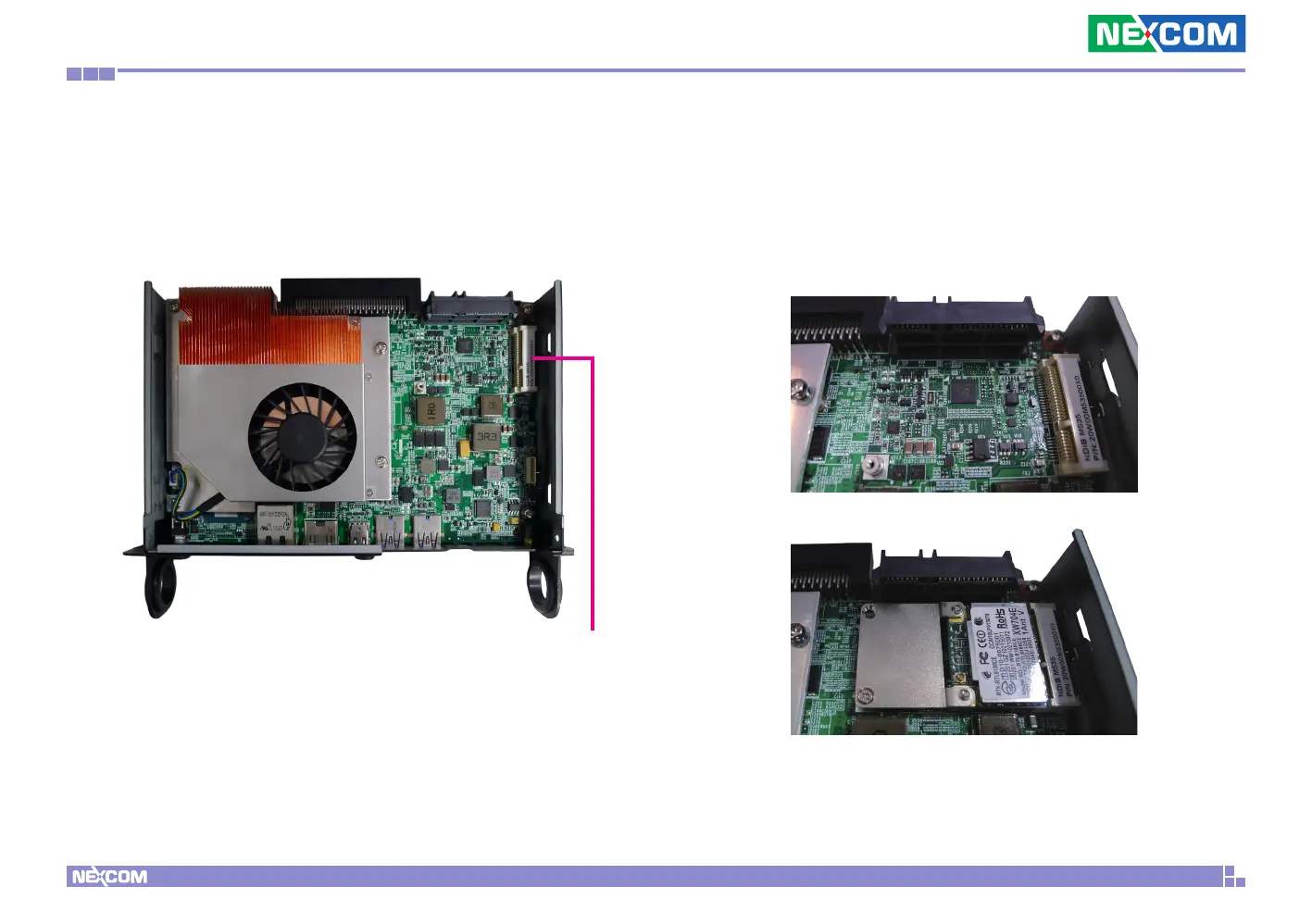
2. Insert the Wi-Fi module into the mini-PCI Express slot at a 45 degree angle
until the gold-plated connector on the edge of the module completely
disappears inside the slot.
1. With the chassis cover removed, locate the mini-PCIe slot on the
mainboard.
Mini-PCIe slot



 To Next Page