Copyright © 2016 NEXCOM International Co., Ltd. All Rights Reserved.
22
NDiS M535 User Manual
Chapter 3: System Setup
Installing a 2.5” SSD/HDD Storage
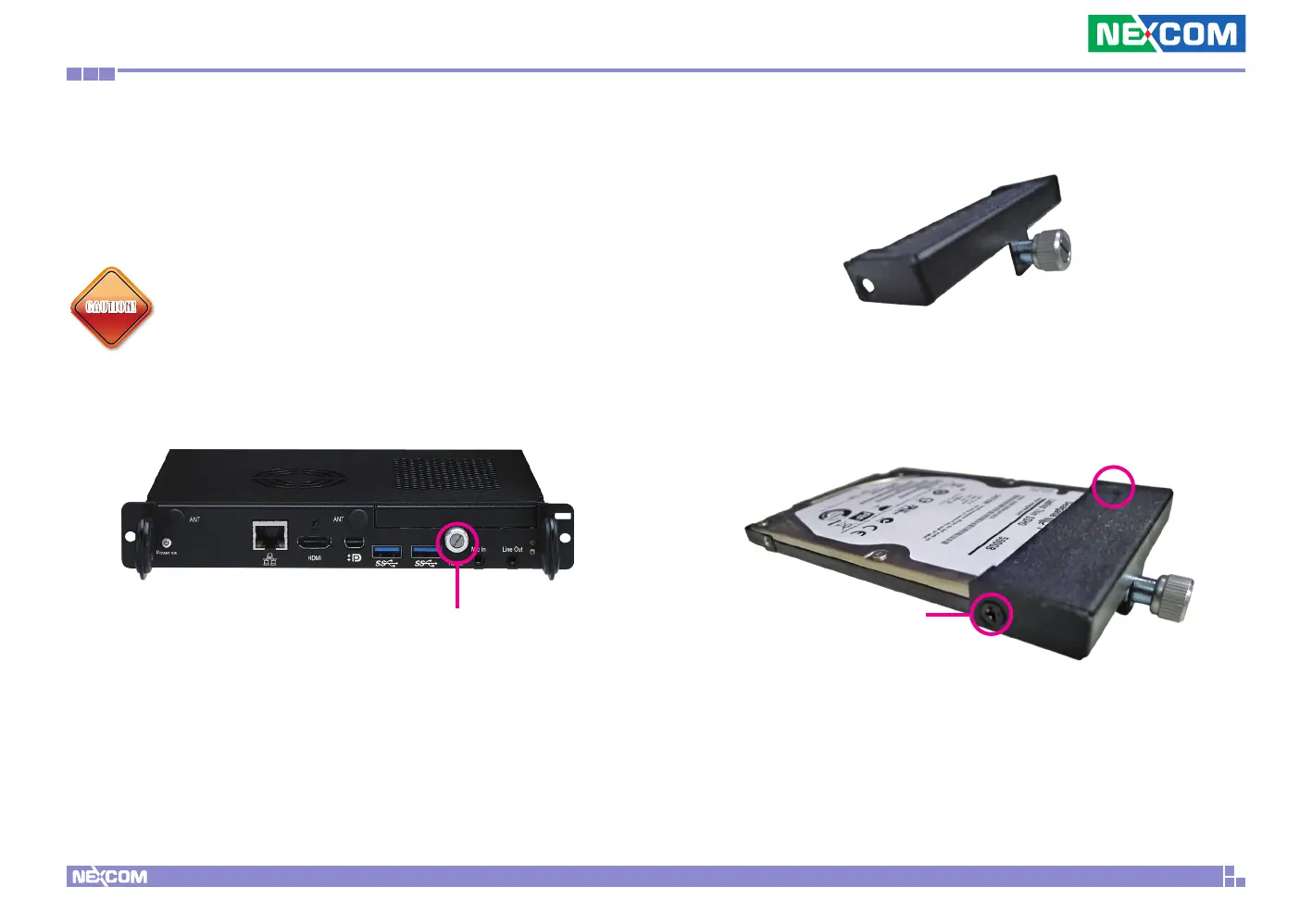
The system is equipped with a removable 2.5” HDD drive bay. To install a
HDD, please follow the instructions below.
CAUTION!CAUTION!
Before installing a 2.5” HDD, please make sure the top
OPS cover is secured firmly with screws, otherwise the HDD
connector on the mainboard may be damaged.
1. Remove the HDD cover located at the front panel by loosening the screw.
Screw
2. Gently take the cover out.
3. Align the mounting holes on the front of the HDD to the mounting holes
on the cover, then tighten screws on both sides to secure it. Make sure
the connector side of the HDD is facing outwards.
Screw



 To Next Page