30
OpenSPR 1-Channel Operation Manual V4.1.01
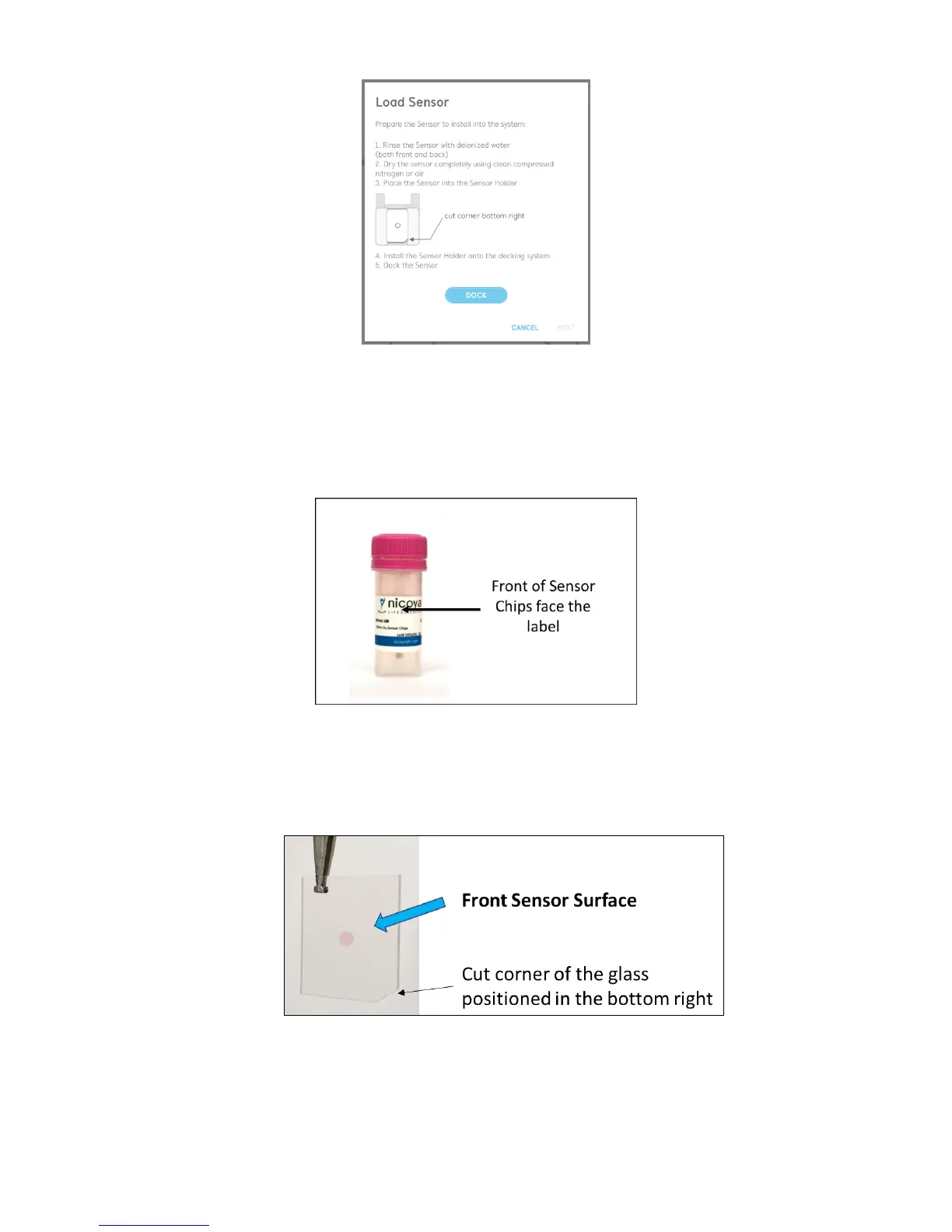
Figure 2.28 Prompt instructing user to load the new sensor.
6. Using a pair of tweezers, remove a sensor chip from the storage container. All sensor chips
are packaged with the front sensor surface facing the label on the outside of the storage
container [Figure 2.29]. Do not touch the sensor spot directly, as this will scratch the
surface and severely diminish its performance.
Figure 2.29 Front of the sensor chips face the label stored in the container.
The front sensor surface can also be identified using the cut corner of the sensor chip.
When viewing the sensor in a vertical position, when the cut corner can be positioned in
the bottom right, as shown in Figure 2.30, you will be viewing the front sensor surface.
Figure 2.30 With the sensor chip in the vertical position, when the cut corner is in the bottom right, you are viewing the front
sensor surface.



 To Next Page