29
OpenSPR 1-Channel Operation Manual V4.1.01
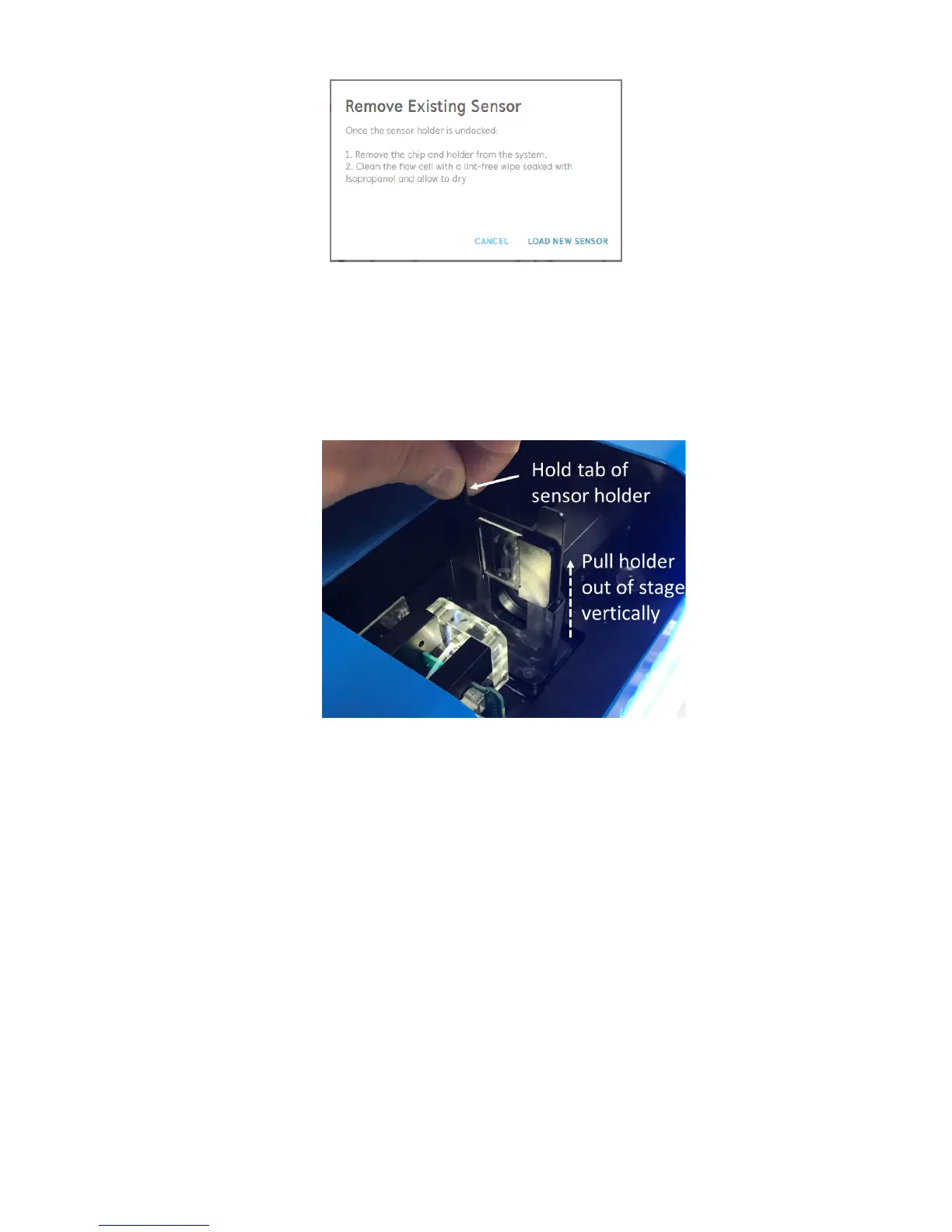
Figure 2.26 Prompt instructing user to remove existing sensor or chip from the system.
3. Once the stage is fully undocked and stationary, open the lid of the OpenSPR and remove
the sensor holder containing the existing chip from the system. To do this, lift the tabs of
the sensor holder straight out of the stage [Figure 2.27]. The existing chip can be removed
from the holder at this time, and the holder can be set aside to be used in subsequent
steps.
Figure 2.27 Remove the sensor holder from the stage by lifting vertically from the tabs.
4. Clean the face of the flow cell by gently wiping it with a lint-free wipe dampened with
isopropanol (diluted isopropanol will work for this purpose as well). After cleaning the
flow cell allow it to air dry.
The purpose of this step is 3-fold: 1) It will wick away any residual buffer, 2) It will remove
any dust present in the fluidic channels, and 3) Clean and sterilize the fluidic channels.
Perform a visual inspection of the microfluidic channels for the presence of dust. If any
dust is present within the channels, repeat the cleaning procedure until they are dust-
free.
When the flow cell is clean and fully dry, click “load new sensor” to proceed to the next
step [Figure 2.26].
5. The new prompt will guide you through the process to load your new sensor [Figure 2.28]
and is detailed the following steps.



 To Next Page