52
OpenSPR 1-Channel Operation Manual V4.1.01
the shutdown procedure to prevent overflow. The software will guide the user through the
shutdown procedure, detailed below:
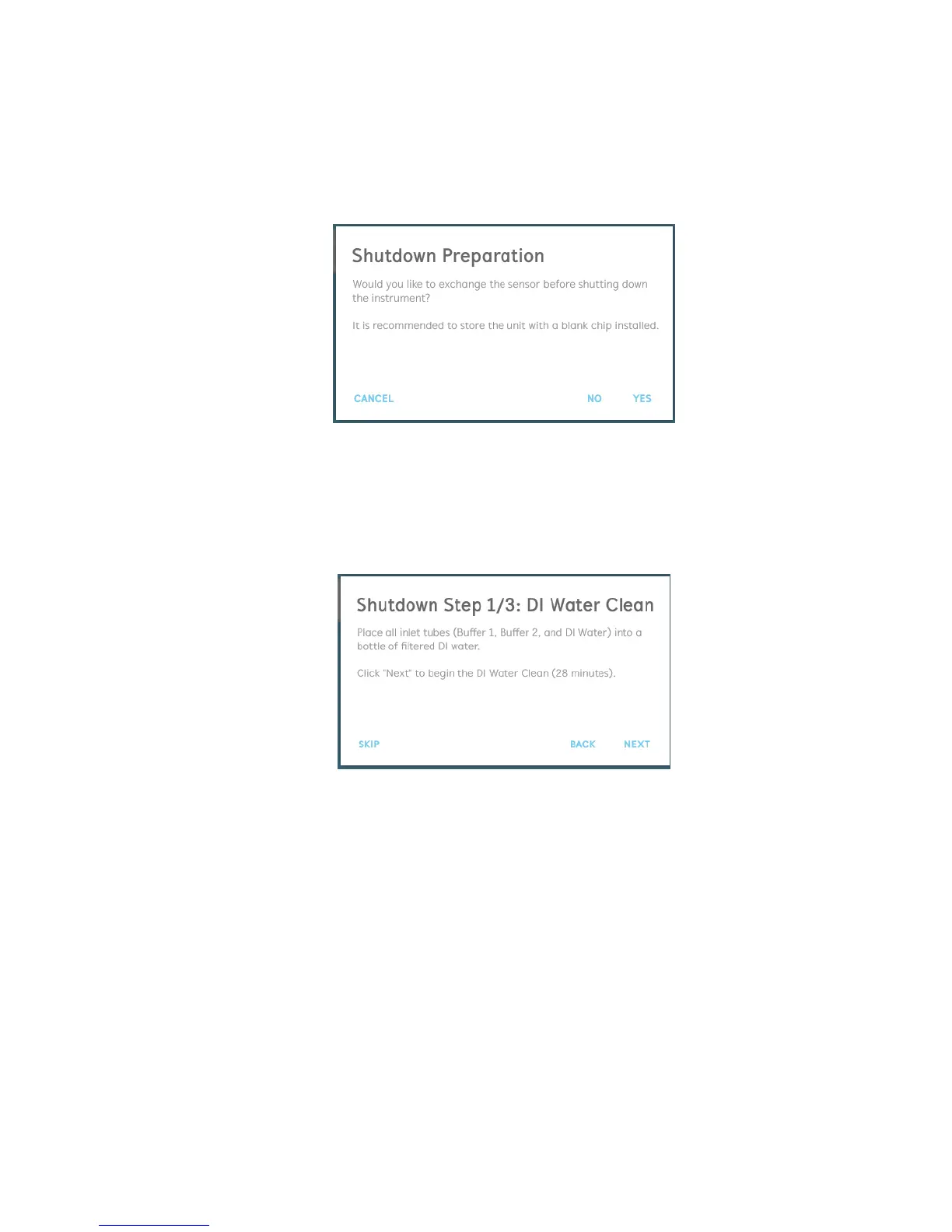
1. The user will first be asked if they would like to exchange the sensor [Figure 2.70]. It is
recommended to install a blank chip for instrument shutdown. Selecting “Yes” will guide
the user through the process to exchange the sensor.
Figure 2.70 Prompt to exchange the sensor. It is recommended to install a blank sensor for instrument shutdown.
2. The first step in the shutdown process will be to rinse the system with filtered deionized
water [Figure 2.71]. To do this, place all 3 inlet tubes into a bottle containing filtered
deionized water (multiple bottles can be used as necessary, so long as all inlet tubes are
submerged). Once all inlet tubes are submerged, click “Next” to begin the rinsing step.
Figure 2.71 Shutdown process 1/3: flush the instrument with deionized water.
3. A progress bar will display the rinsing step status. During this time, rinse the injection port
with at least 5 mL of filtered deionized water.
4. The second step in the shutdown process will be to sterilize the system with 80%
isopropanol [Figure 2.72]. To do this, place all 3 inlet tubes into a bottle containing 80%
isopropanol (multiple bottles can be used as necessary, so long as all inlet tubes are
submerged). Once all inlet tubes are submerged, click “Next” to begin the sterilization
step.



 To Next Page