104
Picture Editing
Editing Pictures
g Small Picture: Resizing Pictures
Create a small copy of the current picture. This feature is useful for displaying on
Web pages and using as e-mail attachments. Small copies are stored as JPEG files
with a compression ratio of 1:16. The l 640×480, m 320×240, and n 160×120
sizes are available.
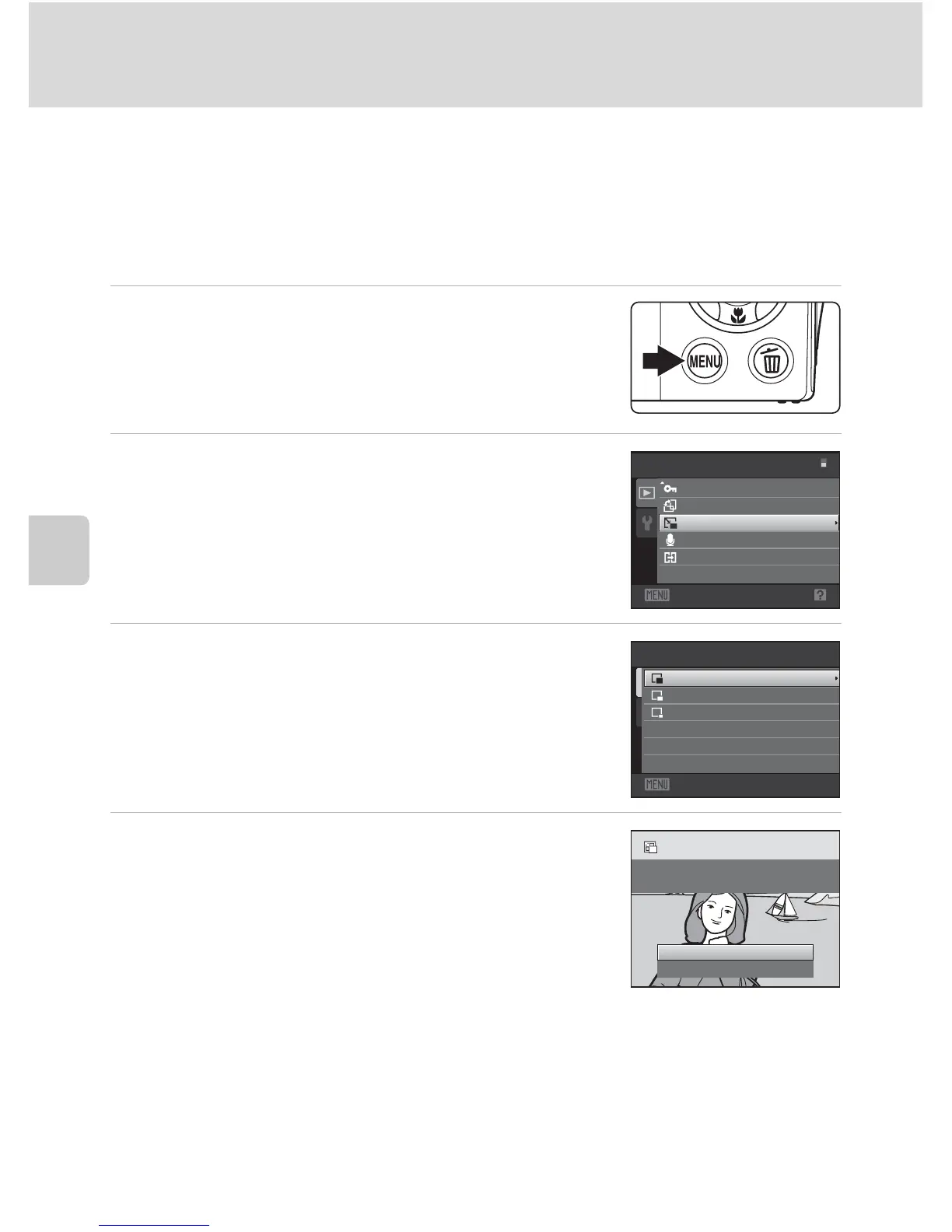
1 Select the desired picture from full-frame
(A 28) or thumbnail (A 69) playback mode
and press the d button.
The playback menu is displayed.
2 Use the multi selector to choose g Small
picture and press the k button.
3 Choose the desired copy size and press the k
button.
4 Choose Yes and press the k button.
A new, smaller copy is created.
To exit without saving the copy, choose No and press the
k button.
The copy is displayed with a gray frame.
D More Information
See “Image/Sound File and Folder Names” (A 151) for more information.
Exit
Playback menu
Rotate image
Small picture
Protect
Voice memo
Copy
Exit
320×240
Small picture
160×120
640×480
Yes
No
Create small picture
file?



 To Next Page
 Loading...











