18
First Steps
Setting Display Language, Date and Time
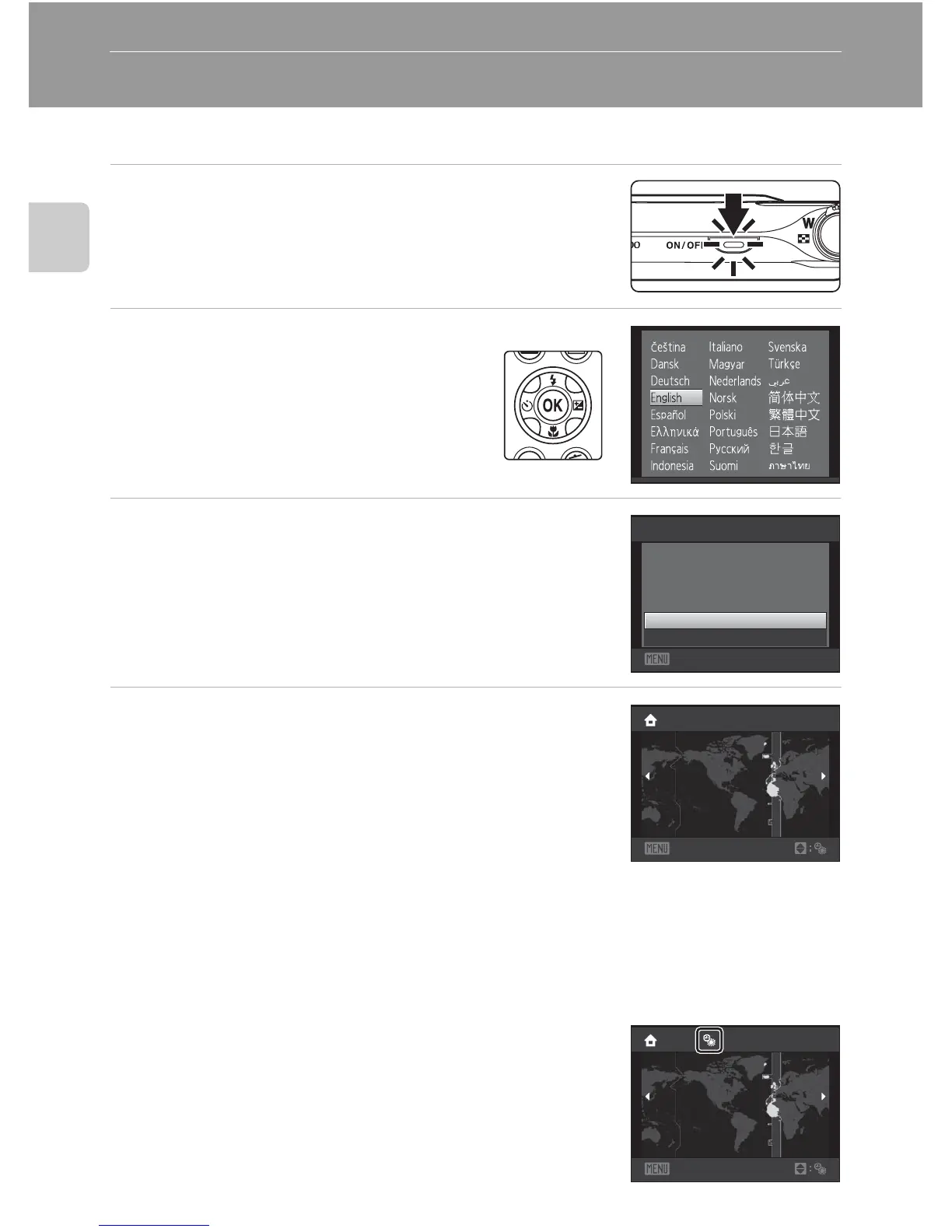
A language-selection dialog is displayed the first time the camera is turned on.
1 Press the power switch to turn on the camera.
The power-on lamp (green) will light for a moment and
the monitor will turn on.
2 Use the multi selector to choose
the desired language and press
the k button.
For information on using the multi selector,
see “The Multi Selector” (A 9).
3 Choose Yes and press the k button.
If No is selected, the date and time will not be set.
4 Press the multi selector J or K to select your
home time zone (A 131) and press the k
button.
D Daylight Saving Time
If daylight saving time is in effect, press the multi selector H in the
time zone selection screen displayed in step 4 to turn on the
daylight saving time option.
When the daylight saving time option is enabled, W is displayed at
the top of the monitor. To turn off the daylight saving time option,
press I.
Yes
No
Set time and date?
Date
Cancel
Back
London
Casabl anca
Back
London
Casabl anca



 To Next Page
 Loading...











