45
Shooting Options: The Shooting Menu (A (Auto) Mode)
More on Shooting
B Notes on AF Area Mode
This feature cannot be used simultaneously with certain features. See “Camera Settings that Cannot
Be Applied Simultaneously” (A 49).
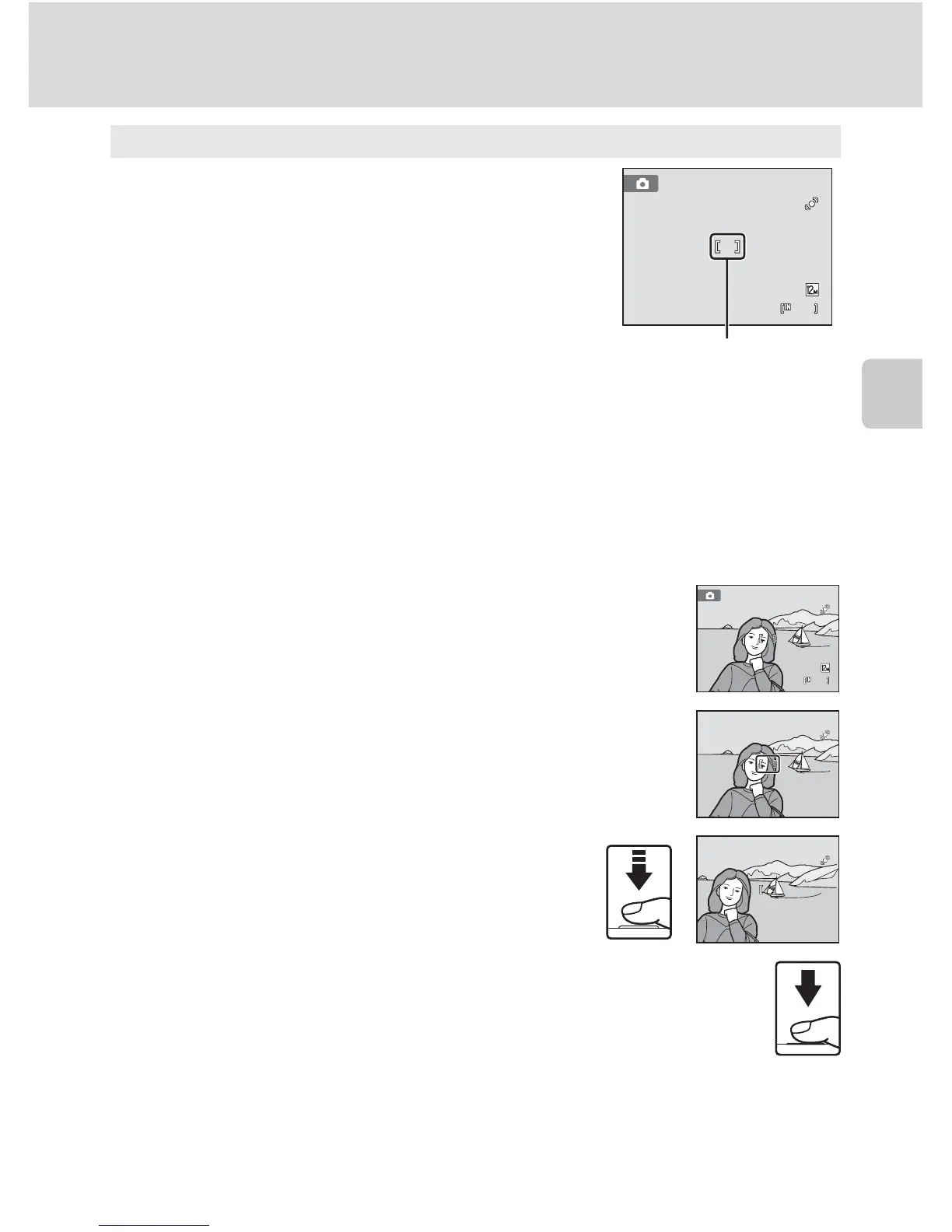
D Focus Lock
To focus on off-center subjects when Center is selected for AF area mode, use focus lock as
described below.
1 Position the subject in the center of the frame.
2 Press the shutter-release button halfway.
• Confirm that the focus area is green.
• Focus and exposure are locked.
3 Continue holding down the shutter-release button halfway
and recompose the picture.
• Be sure that the distance between the camera and the
subject does not change.
4 Press the shutter-release button the rest of the way down to
take the picture.
D More Information
See “Autofocus” (A 27) for more information.
y Center
The camera focuses on the subject at the center of the
frame.
The center focus area is always displayed.



 To Next Page
 Loading...











