50
More on Shooting
Shooting Suited to Scenes (Scene Mode)
Camera settings are automatically optimized for the selected subject type. The
following scene modes are available.
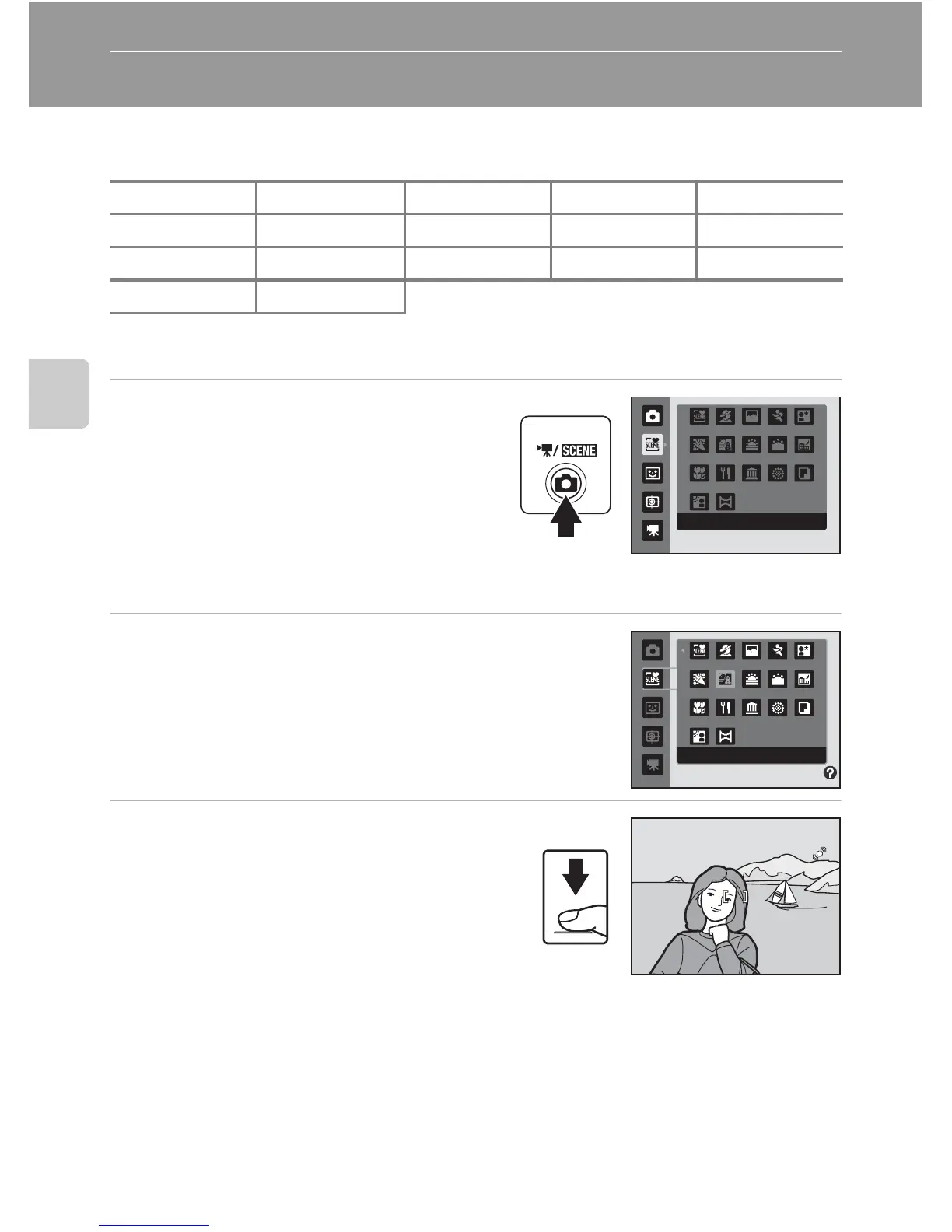
Selecting a Scene Mode
1 Press the A button in shooting
mode to display the shooting-mode
selection menu and press the multi
selector H or I to select the scene
mode icon.
The icon for the last scene mode selected is
displayed. The default setting is x (Scene
auto selector; A 51).
2 Press the multi selector K and press H, I, J,
or K to choose the desired scene, and then
press the k button.
The display changes to that for the selected scene mode.
For more information about features of scene modes, see
page 53.
3 Frame the subject and take a
picture.
D Image Mode
When the d button is pressed in scene mode, Image mode (A 37) can be adjusted. Change
made to this setting applies to all shooting modes (except movie recording).
x
Scene auto selector
b Portrait c Landscape d Sports e Night portrait
f Party/indoor g Beach/snow h Sunset i Dusk/dawn j
Night landscape
k Close-up u Food l Museum m
Fireworks show
n Copy
o Backlight p
Panorama assist
Scene auto selector
Beach/snow



 To Next Page
 Loading...











