132
Setup Menu
Basic Camera Setup
e Monitor Settings
Set the options below.
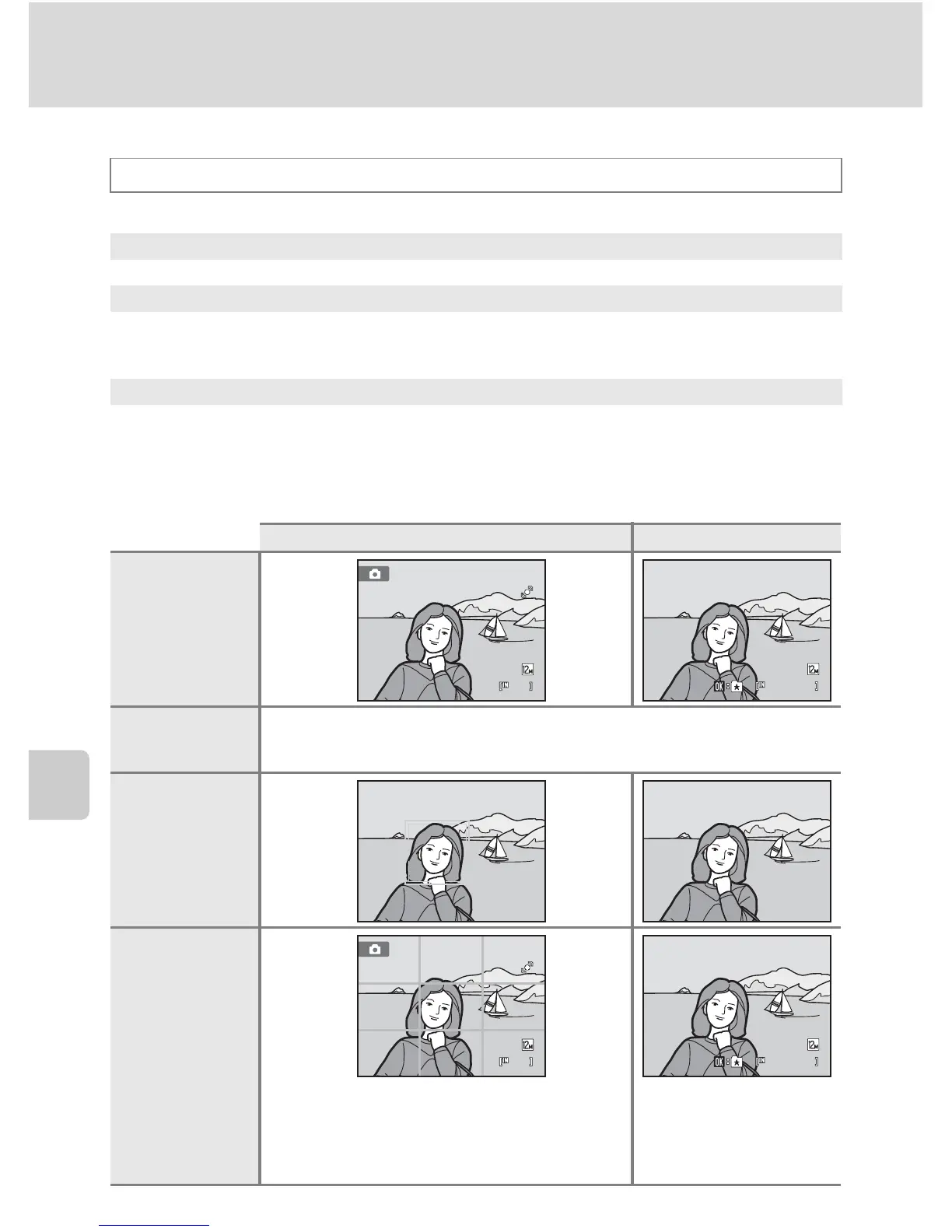
Photo Info
Select whether or not the photo information is displayed in the monitor.
See “The Monitor” (A 6) for information on indicators displayed in the monitor.
d button M z (Setup menu) (A 126) M e Monitor settings
Photo info
Choose information displayed in the monitor during shooting and playback mode.
Image review
On (default setting): Picture is automatically displayed in the monitor
immediately after it is taken and the monitor display returns to shooting mode.
Off: Picture is not displayed after it is taken.
Brightness
Choose from five settings for monitor brightness. The default setting is 3.
Shooting mode Playback mode
Show info
Auto info
(default setting)
Current settings and operational guides are displayed as in Show info above. If no
operations are performed for a few seconds, the display will be the same as Hide
info. Information will be displayed again when the next operation is performed.
Hide info
Framing grid
11
In addition to information shown with Auto
info above, a framing grid is displayed to help
frame pictures in A (auto) mode. In other
shooting modes only the information shown
with Auto info is displayed.



 To Next Page
 Loading...











