150 Live View
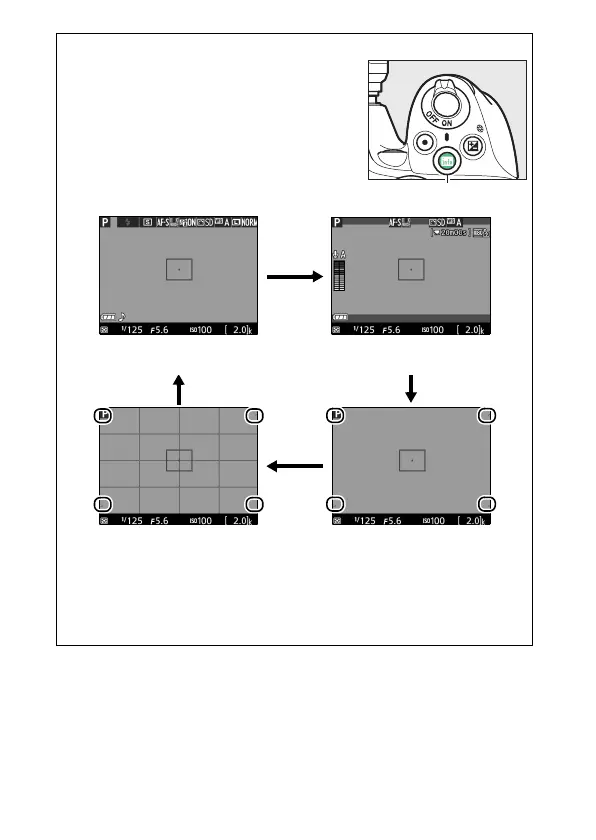
A Live View/Movie Recording Display Options
Press the R button to cycle through display
options as shown below (note that display
options are not available in mode I).
Circled areas indicate edges of movie frame
crop.
Show photo indicators Show movie indicators
(0 155)
*
Framing grid
*
Hide indicators
*
* A crop showing the area recorded is displayed during movie
recording when frame sizes other than 640 × 424 are selected for
Movie settings > Frame size/frame rate in the shooting menu
(0 158; the area outside the movie frame crop is grayed out when
movie indicators are displayed).
R button



 To Next Page
 Loading...









