60
II
~Miniature
Effect
-·
--------------
--
-------
---
---
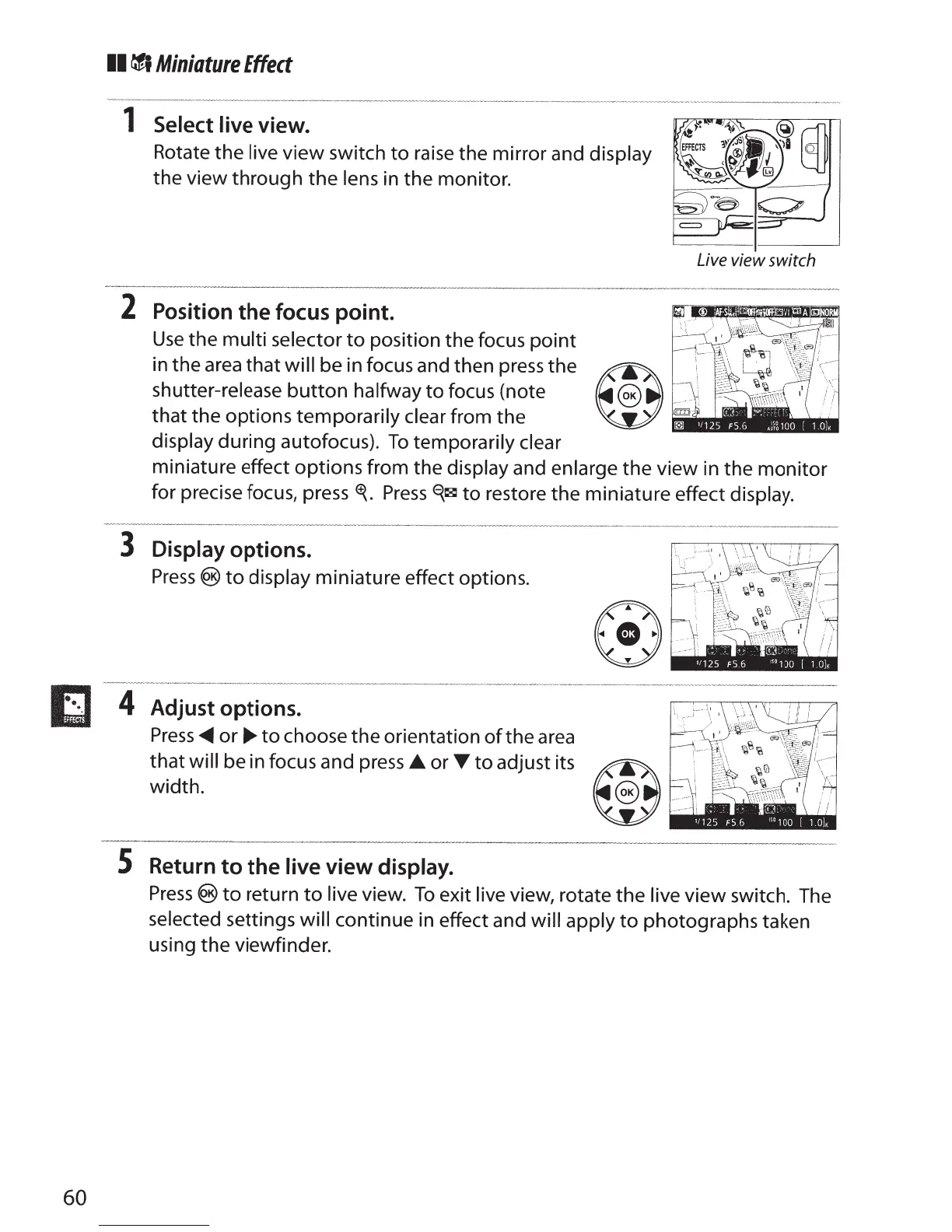
1 Select I
ive view.
Rotate the
live
view
switch
to
raise
the mirror and
display
the view through
the
lens
in the monitor.
---
-----
-
-----
·
--------
---
----
-
2
Position
the
focus point.
Use
the multi selector
to
position the focus
point
shutter-release
button
halfway
to
focus (note
v
Live
view switch
in the
area
that
will be in focus and then press the
~QoK
that the options
temporarily clear from the
Bllll
display
during autofocus).
To
temporarily clear
miniature effect options from the
display
and enlarge
the view in the
monitor
for precise focus,
press~.
Press~~
to
restore the miniature effect display.
3 Display
options.
Press®
to
display miniature effect options.
4
Adjust options.
Press...._
or~
to
choose the orientation
of
the
area
that
will
be in focus and
press
._or
T
to
adjust its
~oK
width.
W
S
Return
to
the
live
view
display.
Press®
to
return
to
live view.
To
exit
live
view, rotate the
live
view
switch. The
selected
settings
will continue in effect and
will apply
to
photographs taken
using the viewfinder.



 To Next Page