4-6-2. Edit PT List/Code List
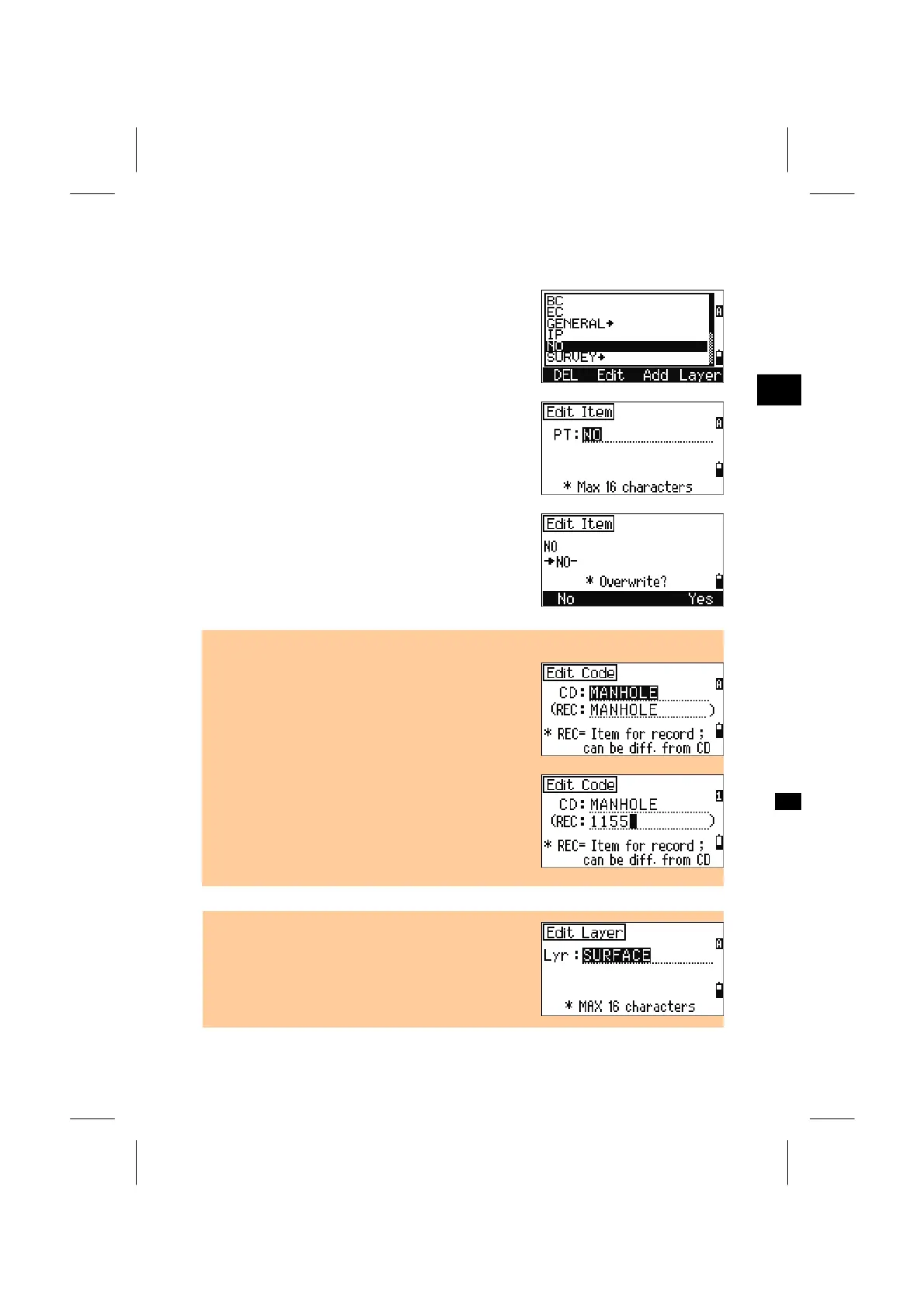
Move the cursor using the Up/Down arrow keys to
the PT, Code or Layer name you are going to edit,
then press [Edit].
3
MENU: 4. Data
For the PT List, there is only one field.
(There are two input fields for Codes. See the
example below.)
Modify the string and press [ENT].
When either string is changed, a confirmation
screen will be displayed.
Press [ENT] or [Yes] to update the List.
Edit Code List
• The first “CD” is a word for display in the List
screen. The second and optional field is the “REC”.
If you leave the “REC” blank, the system
automatically uses the “CD”.
• If you enter in “REC” a different string from “CD”,
the string defined in “REC” will be stored to the Job.
It is useful when you use a numeric coding system,
e.g. "MANHOLE" is translated into a code number
“1155".
• When [Edit] is pressed on a Layer name, only one
field is provided. Press the [ENT] key after you
change the layer name.
3-120



 To Next Page