3
STN
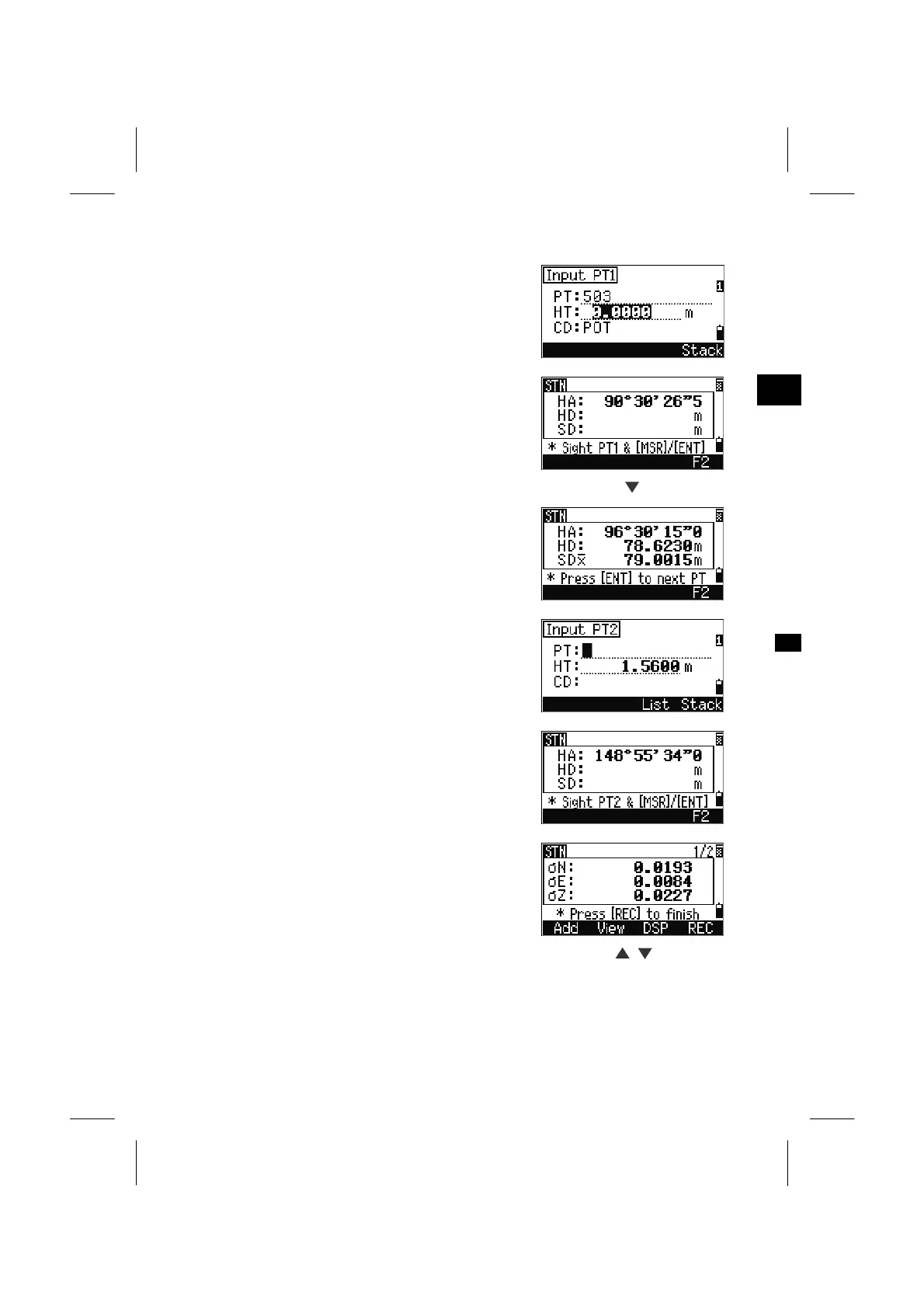
Input the target height and press the [ENT] key.
Sight PT1 and press [MSR1] or [MSR2] key.
To take an angle only shot, just press the [ENT] key.
The [F2] softkey is also available to take F1/F2
measurements.
MSR1
Press the [ENT] key to proceed to the next point.
Input the second PT and its height of target.
Measure to the second point and press the [ENT]
key.
When enough data is available to calculate the STN
coordinate, it does so.
When more than the minimum required data is
available, a standard deviation screen is provided.
Press the [Add] softkey to take measurements to
strengthen geometry of your resection.
(See p.3-42 for the [View] softkey)
[DSP] [DSP]
3-40



 To Next Page