STN
3
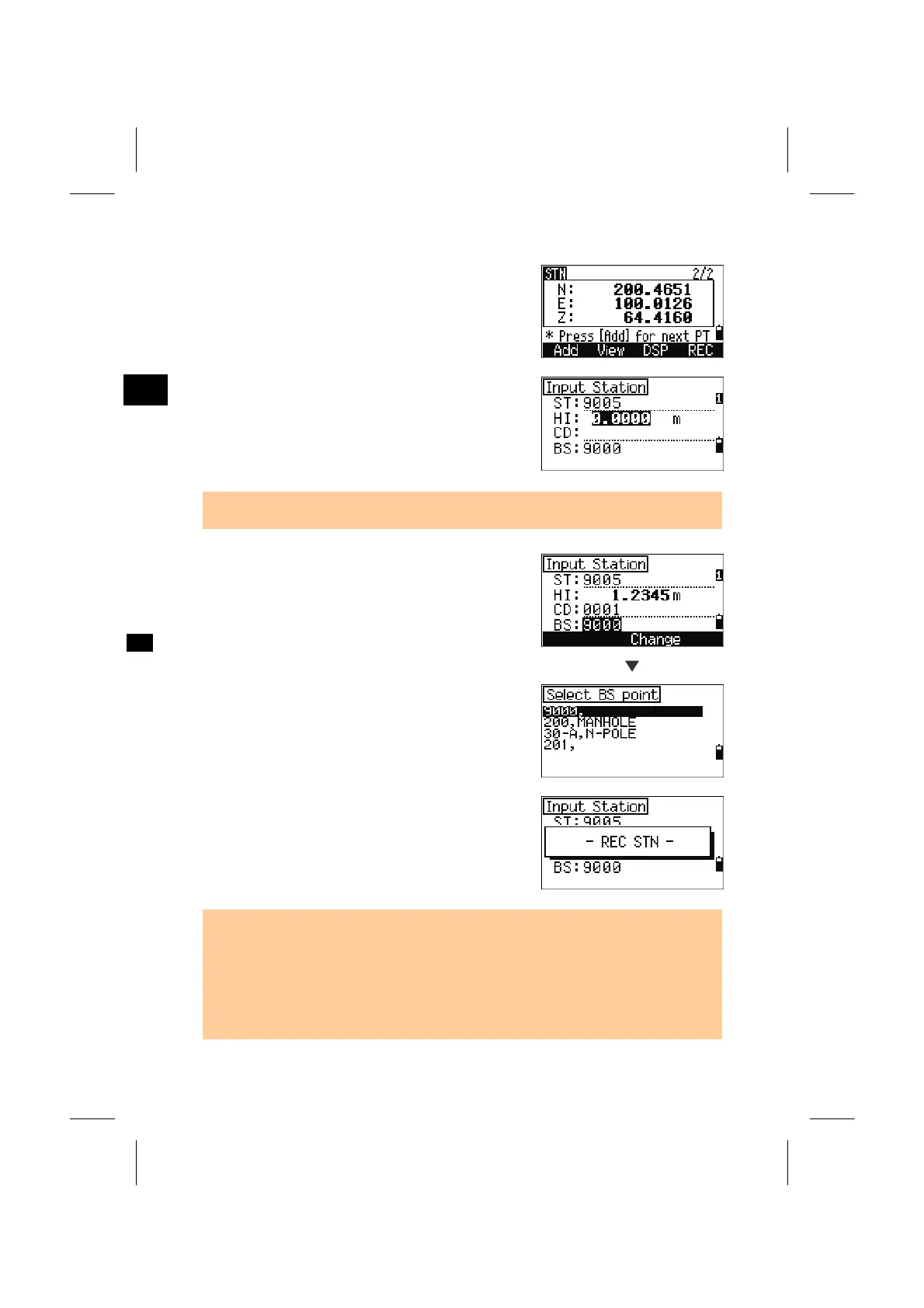
When the result looks OK, press [REC] or [ENT] to
record the station.
Input the height of instrument if required and press
the [ENT] key. “ST” is defaulted to the “Last
recorded PT+1”. It can be changed by placing the
cursor in ST field.
• If Split ST=Yes (See p.3-102) the “ST” is defaulted to the “Last recorded ST + 1”.
BS is defaulted to the first observed point.
You can change the BS point by the [Change]
softkey.
[Change]
Select the BS point and press the [ENT] key.
To finish Resection setup, press the [ENT] key
while the cursor is in “BS” field.
• The minimum data required for a resection is either 3xangle shots, or 1xangle and
1xdistance shot (in this case, the distance between the target points must be
greater than the measured distance).
• Basically, Stn-Z is calculated from distance-measured data. But if no distances are
measured then the Stn-Z will be determined by angle only measurements to points
with 3D coordinates.
3-41



 To Next Page