4
CHECKING AND ADJUSTMENT
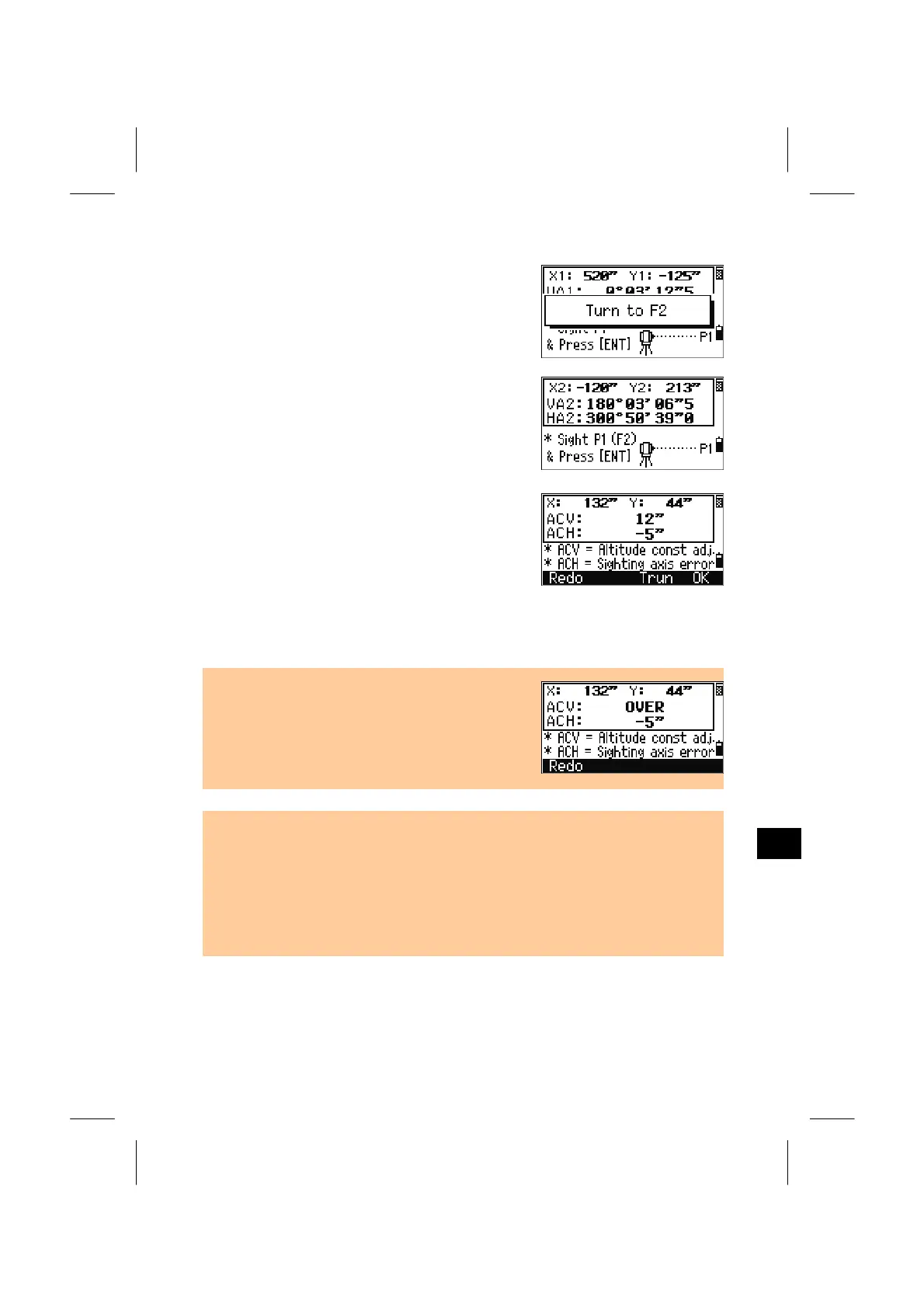
Upon finishing the measurement, the message on
the bottom line is changed from “DO NOT
TOUCH!” to “Turn to FACE2”.
Take a F2 measurement to the same target and
press the [ENT] key.
VA2: Face-right vertical angle (tilt-off value)
HA2: Face-right horizontal angle (tilt-off value)
X2: Face-right X axis tilt value
Y2: Face-right Y axis tilt value
When the observation on F2 is completed four
parameters are displayed.
[Redo]/[ESC] = returns to the first observation
screen.
[OK]/[ENT] = sets parameters on the instrument.
[Trun] = proceeds to the “Second Step” (Trunnion axis compensation)
• When any of ACV, ACH, X, or Y is out of range
(X,Y, ACV> ± 3’ or ACH> ± 30” ), “OVER” is
shown. Pressing any key to return to the first
observation screen.
• When the “HA corr.” setting is set to “OFF”, the ACH parameter is not applied to
your horizontal angle readings.
• By the “HA corr.=ON”, both of the ACH and Trunnion-axis parameters are applied
to HA. If you never go through the trunnion axis part (Second step), you can only
see the ACH compensation by “HA corr.=ON” setting since the trunnion-axis
parameter stays zero until you finish the second step.
(See p.3-97 for the detail of “HA corr.” setting)
4-5



 To Next Page