4
CHECKING AND ADJUSTMENT
Second step
Sight the second target that is placed more than 30
degrees above the
horizontal plane.
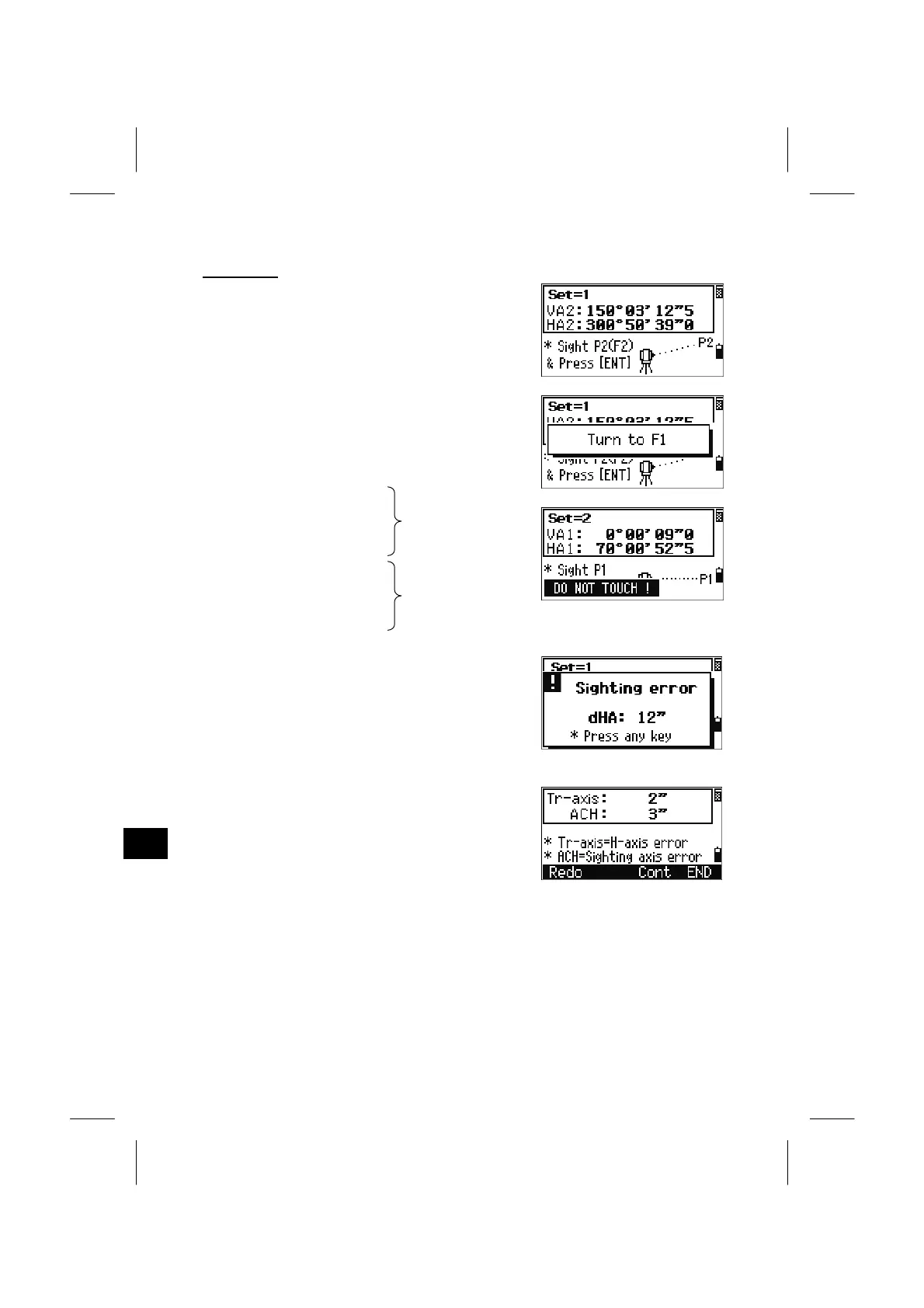
Taking angle measurements by pressing the [ENT]
key in the following order.
- Face2 to P2
- Face1 to P2
- Face1 to P1 (Horizontal)
- Face2 to P1 (Horizontal)
- Face2 to P2
- Face1 to P2
- Face1 to P1 (Horizontal)
- Face2 to P1 (Horizontal)
2nd set
3rd set
- Face2 to P2
- Face1 to P2
The tolerance in angle reading to each direction is
10”. Extremely careful shots are required to
maintain the accuracy of the instrument.
When the dHA to the same direction is more than
10”, an error screen is shown and you need to
remeasure points in three sets from scratch.
After three sets of F1/F2 observations, the program
reports the Trunnion axis parameter and the
updated ACH (the average of each set).
[Redo]/[ESC] = returns to the very first set of F1 measurement screen.
[Cont] = goes to the next set of observation for more accurate result.
(Up to 10 sets are available.)
[END]/[ENT]= stores the parameter and returns to the BMS.
4-6



 To Next Page