Playing
back
the
pictures
The camera has a built-in video output terminal that enables
you to immediately playback the exposed images
on
a
TV
monitor with a video input terminal.
- Both NTSC
and
PAL
color television systems are available with this camera.
See
page
48
for switching from the
NTSC
to
the
PAL
system or vice versa.
1
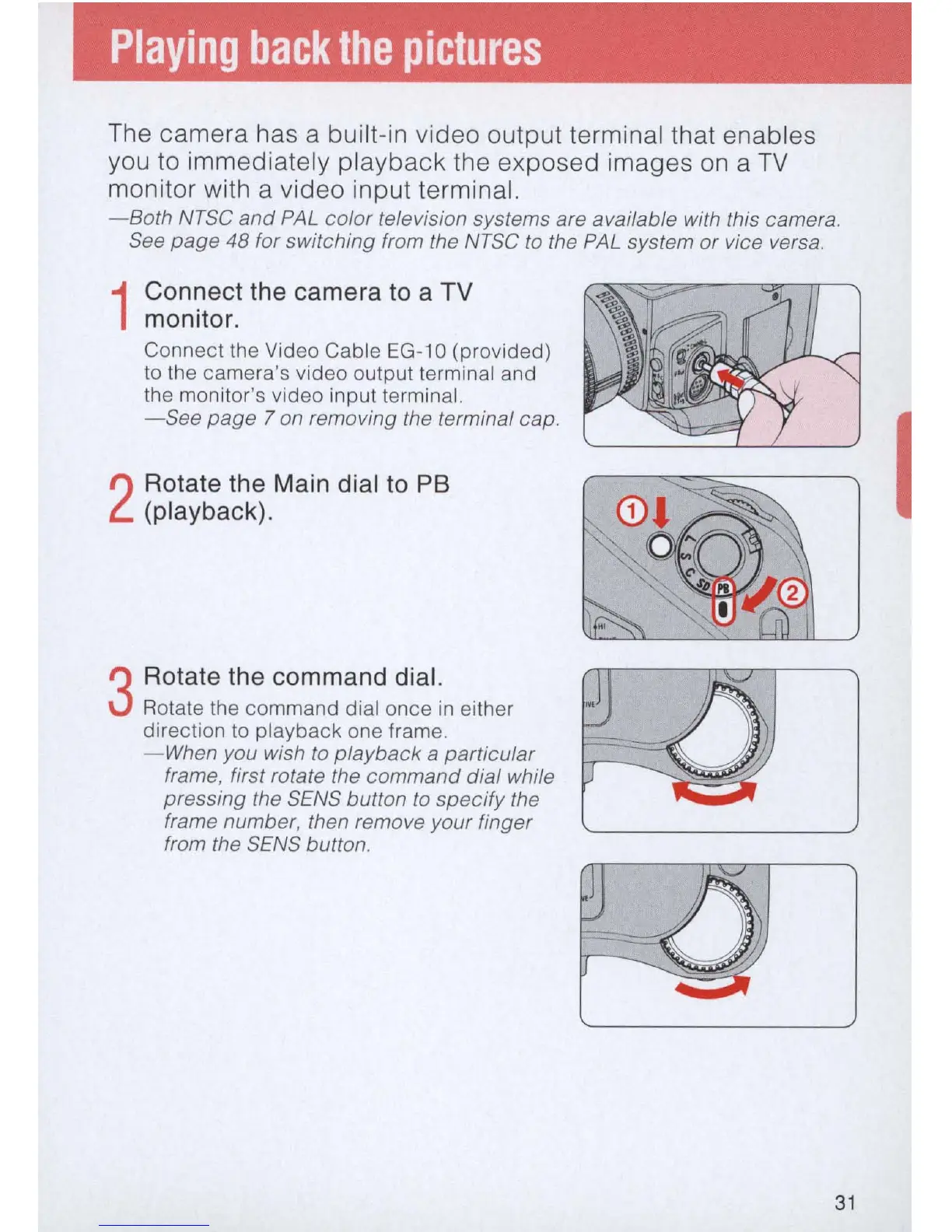
Connect the camera to a TV
monitor.
Connect
the Video Cable
EG-1
0
(provided)
to the
camera
's
video
output
terminal and
the monitor's
video
input
terminal.
- See page 7 on removing the terminal cap.
2
Rotate the Main dial to PB
(playback).
3
Rotate the command dial.
Rotate the
command
dial
once
in either
direction to
playback
one frame.
-
When
you wish to playback a particular
frame, first rotate the command dial while
pressing the
SENS
button to specify the
frame number, then remove your finger
from the
SENS
button.
31



 To Next Page