In
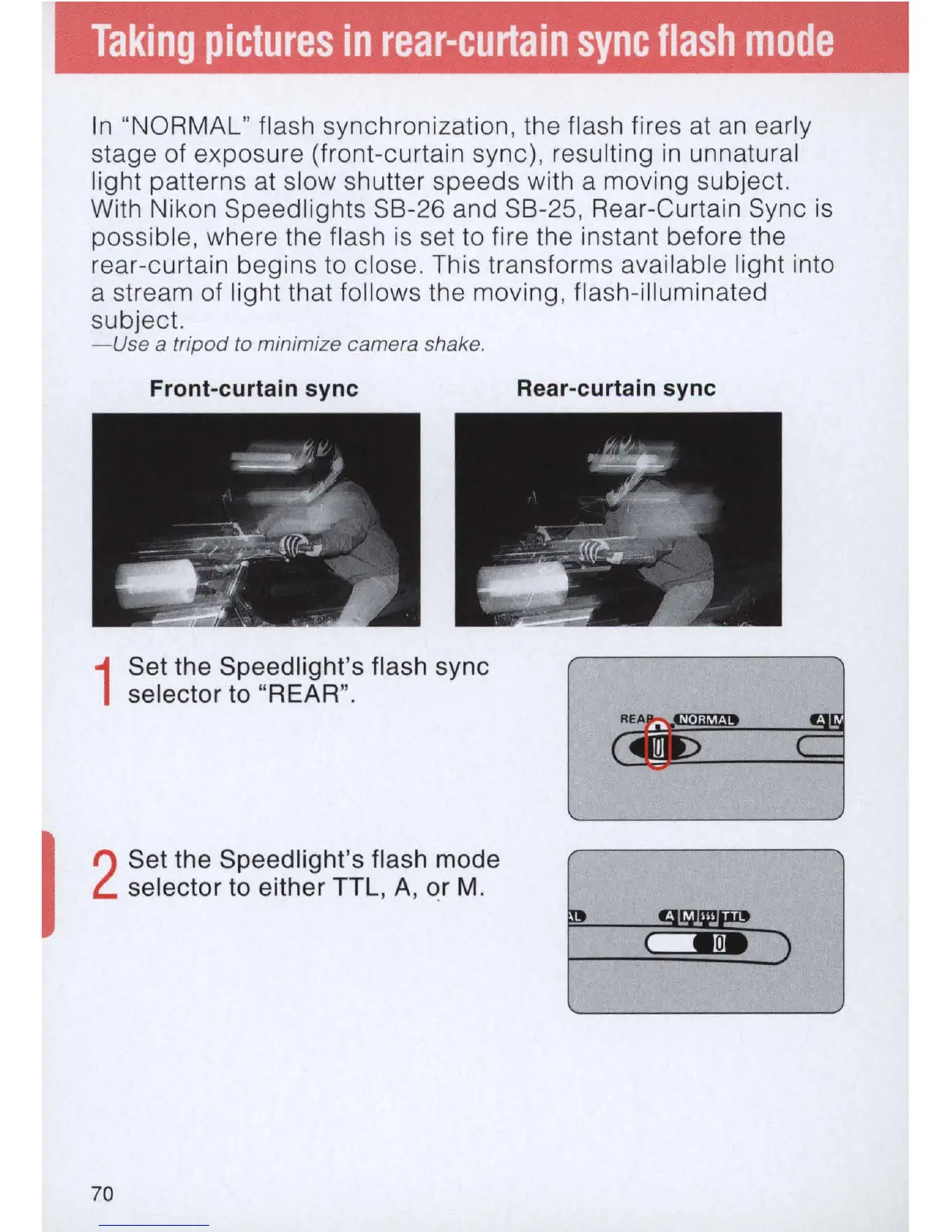
"NORMAL" flash synchronization, the flash fires at
an
early
stage of exposure (front-curtain sync), resulting in unnatural
light patterns at slow shutter speeds with a moving subject.
With Nikon Speedlights SB-26 and SB-25, Rear-Curtain Sync
is
possible, where the flash
is
set to fire the instant before the
rear-curtain begins to close. This transforms available light into
a stream of light that fol lows the moving, flash-ill
um
inated
subject.
-Use
a
tripod
to minimize camera shake.
Front-curtain sync
1
Set the Speedlight's flash sync
selector to "REAR".
I
2
Set the Speedlight's flash mode
selector to either TTL, A, or M.
70
Rear-curtain sync
(
Woe)



 To Next Page