Selecting
Programmed
Auto
mode
Programmed Auto
is
ideal for quick operation and is the
simplest method for exposure control. U
se
this mode for most
general photographic situations.
1
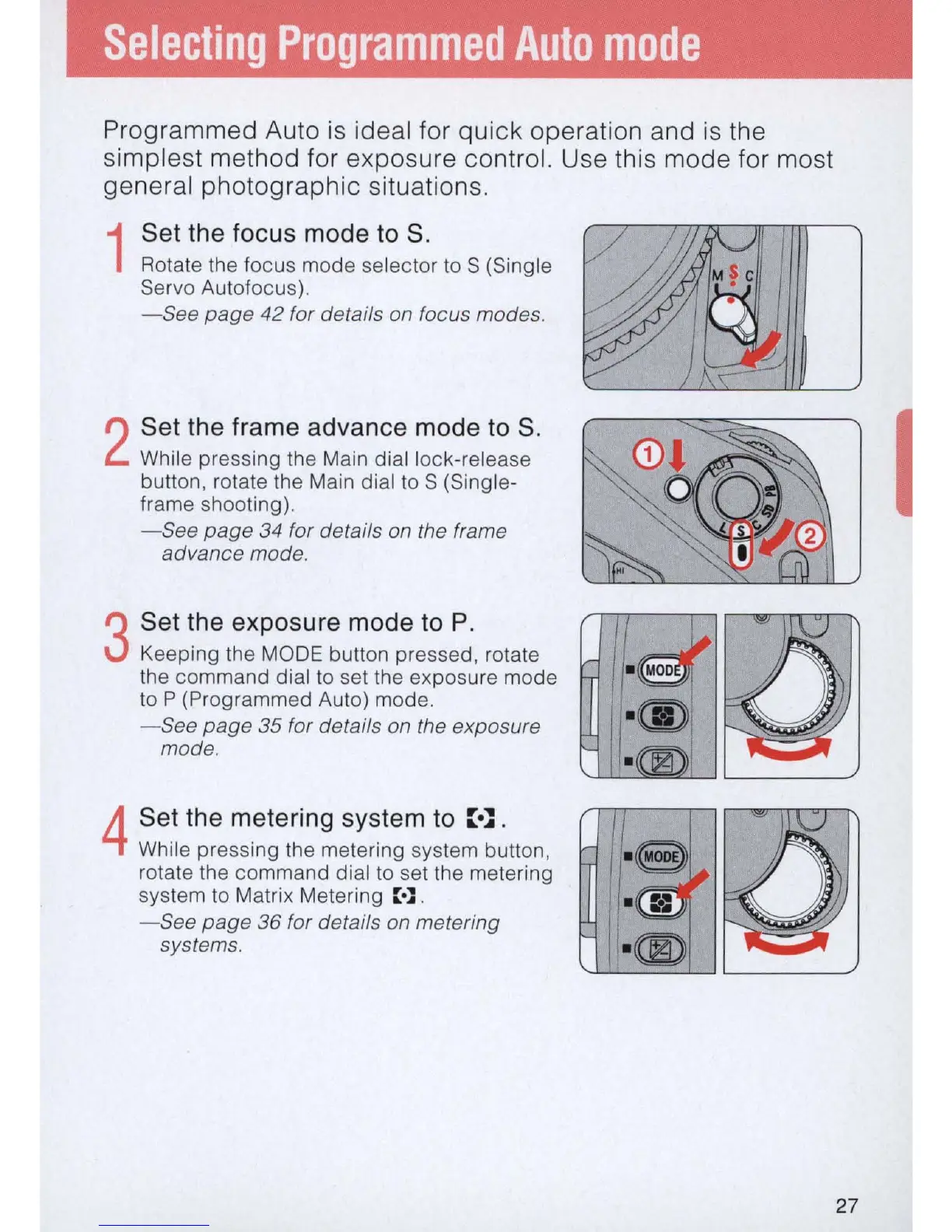
Set the focus mode to S.
Rotate the focus mode selector
to
S (Single
Servo Autofocus).
- See
page
42
for details
on
focus modes.
2
Set the frame advance mode to S.
While pressing the Main dial lock-release
button, rotate the Main dial
to
S (Single-
frame shooting).
-See
page 34 for details
on
the frame
advance mode.
3
Set the exposure mode to
P.
Keeping the MODE button pressed, rotate
the command dial
to
set the exposure mode
to P (Programmed Auto) mode.
- See page
35
for details on the exposure
mode.
4
Set the metering system to
::.~
.
While pressing the metering system button,
rotate the command dial to set the metering
system to Matrix Metering
::.::
.
- See page
36
for details on metering
systems.
27



 To Next Page