I
Setting
the
frame
advance
mode
The Main dial turns the power
ON
and
OFF,
and selects
shooting, data transfer and pl
ayback
modes.
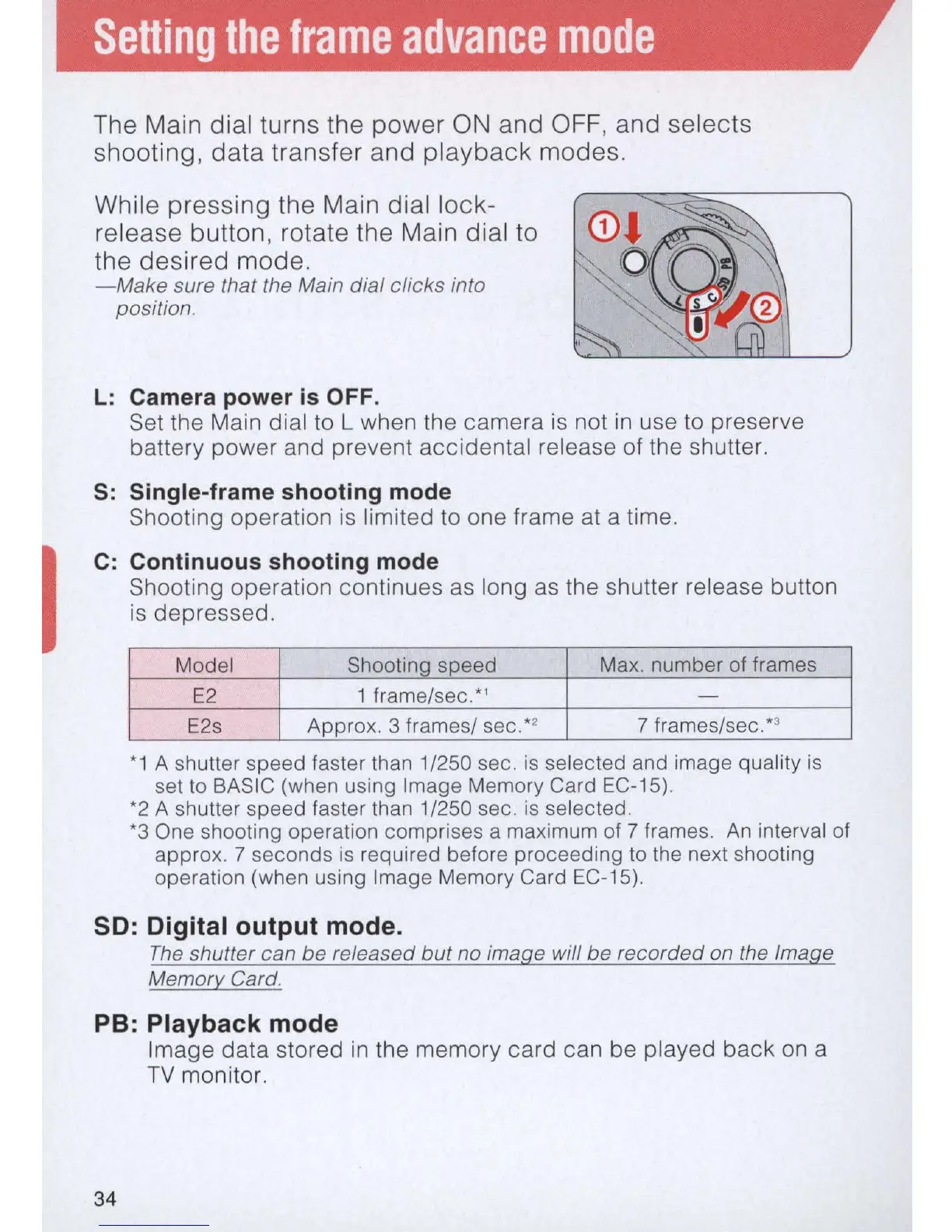
Whi le pressing the Main dial lock-
release button, rotate the Main dial to
the desired mode.
-Make
sure that the Main dial clicks into
position.
L:
Camera power is OFF.
Set the Main dial to L when the camera
is
not
in
use to preserve
battery power and prevent accidental release of the shutter.
S:
Single-frame shooting mode
Shooting operation
is
limited to one frame
at
a time.
C: Continuous shooting mode
Shooting operation continues
as
long
as
the shutter release button
is
depressed.
Model
Shooting speed Max. number
of
frames
E2
1
frame/sec:'
-
E2s
Approx. 3 frames/ sec. *2 7 frames/sec:
3
*1
A shutter speed faster than 1/250 sec.
is
selected and image quality
is
set
to
BAS
IC (when using Image Memory Card EC-15).
*2
A shutter speed faster than 1/250 sec.
is
selected.
*3
One shooting operation comprises a
ma
ximum of 7 frames.
An
interval of
approx. 7 seconds
is
required before proceeding to the next shooting
operation (when using Image Memory Card EC-15).
so:
Digital output mode.
The
shutter can be released
but
no image will be recorded on the Image
Memory Card.
PB: Playback mode
34
Image data stored
in
the memory card can be played back
on
a
TV
monitor.



 To Next Page