Aperture-Priority
Auto
Exposure
Mode
1
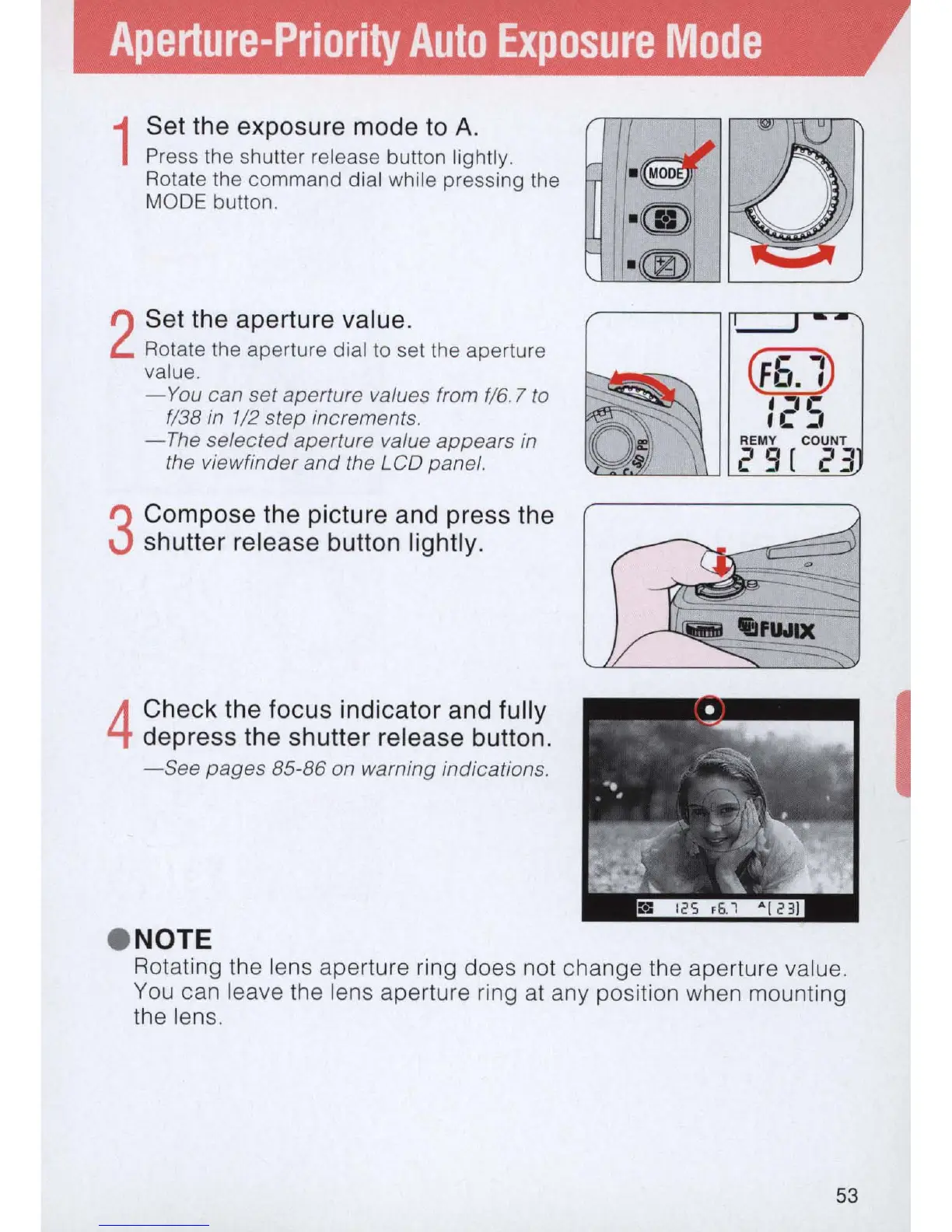
Set the exposure mode
to
A.
Press the shutter release button lightly.
Rotate the command dial while pressing the
MODE button.
2
Set the aperture value.
Rotate the aperture dial
to
se
t the aperture
va
lu
e.
-
You
can set aperture values from
f16
.7
to
fl 38
in
112
step increments.
-
The
selected aperture value appears in
the viewfinder
and
the LCD panel.
3
Compose the picture and press the
shutter release button lightly.
4
Check the focus indicator and fully
depress the shutter
re
lease button.
- See pages 85-86 on warning indications .
• NOTE
Rotating the lens aperture ring does not change the aperture
va
l
ue
.
You
can leave the lens aperture ring
at
any position when mounting
the lens.
53
I



 To Next Page