I
Cleaning
the
camera's
built-in
lens
Wh
en removing dirt and smudges from
th
e camera's built-
in
lens (
si
tuated behind
th
e shutter curtai
ns
), proceed in the
following way.
-Be
sure
to
use DC
adaptor
ES-1 (optional)
and
Quick Charger EH
-1
(EH-2)
(optional).
You
cannot use battery power for this operation.
- Read the instruction manuals
provided
with the DC adaptor, Quick Charger
and
the Battery Pack.
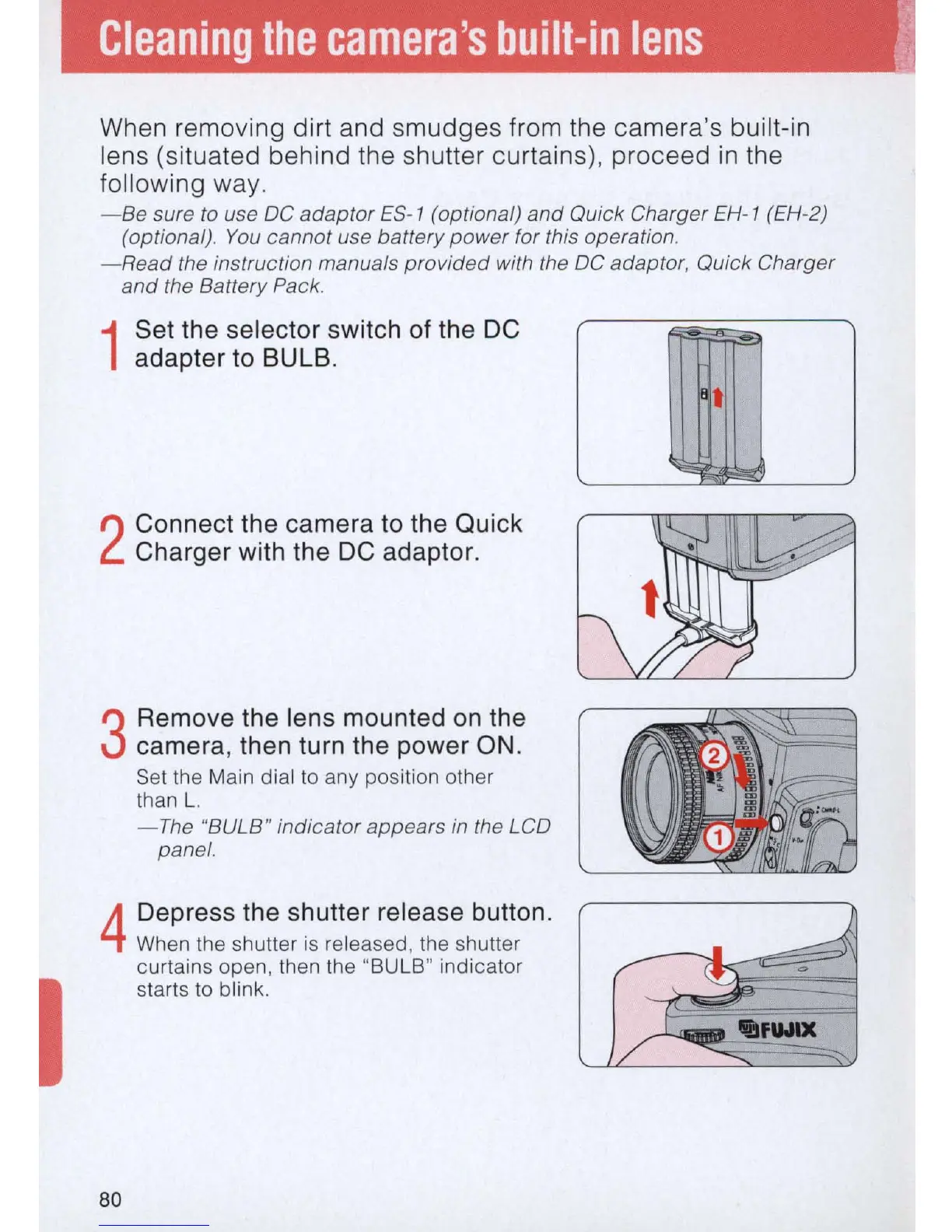
1
Set the selector switch of the DC
adapter to BULB.
2
Connect the camera to the Quick
Charger with the DC adaptor.
3
Remove the lens mounted
on
the
camera, then turn the power
ON
.
Set the Main di
al
to any position other
than L.
-
The
"BULB" indicator appears in the LCD
panel.
4
Depress the shutter release button.
When the shutter is released, the shutter
curtains open, then the "BULB" indicator
starts to blink.
80
~
t
""""



 To Next Page