I
Shutler-Priority
Auto
Exposure
Mode
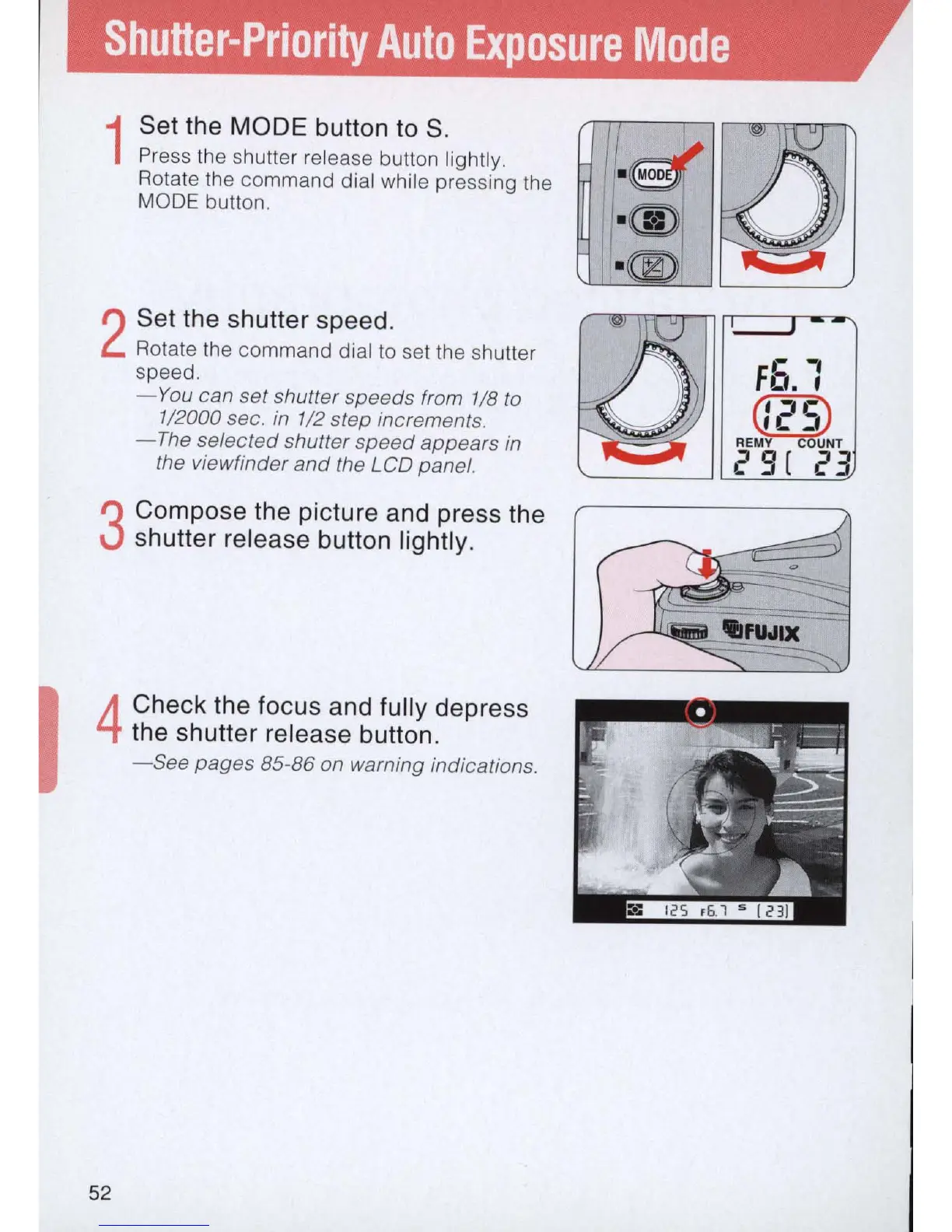
1
Set the
MODE
button
to
S.
Press
th
e shutter release button lightly.
Rotate the command dial while pressing the
MODE button.
2
Set the shutter speed.
Rotate the command dial
to
set the shutter
speed.
-Yo
u can set shutter speeds from 1
/8
to
1/2000 sec.
in
1
/2
step increments.
-The
selected shutter
speed
appears
in
the viewfinder
and
the LCD panel.
3
Compose the picture and press the
shutter release button lightly.
4
Check the focus and fully depress
the shutter release button.
-See
pages
85-86 on warning indications.
52
.-
-,
Fo.
,
G'
;:I
c
~
'L
_,
REMY COUNT
29
[
23



 To Next Page