To
change on-screen data, rotate the command dial while pressing the
MODE button during playback of exposed images.
On-screen data appears
in
order as shown below.
LCD panel
TV
monitor
dSP 0
None
dSP 1
Frame number
dSP 2 Frame number, date and time
dSP 3 Frame number, date and time, file name
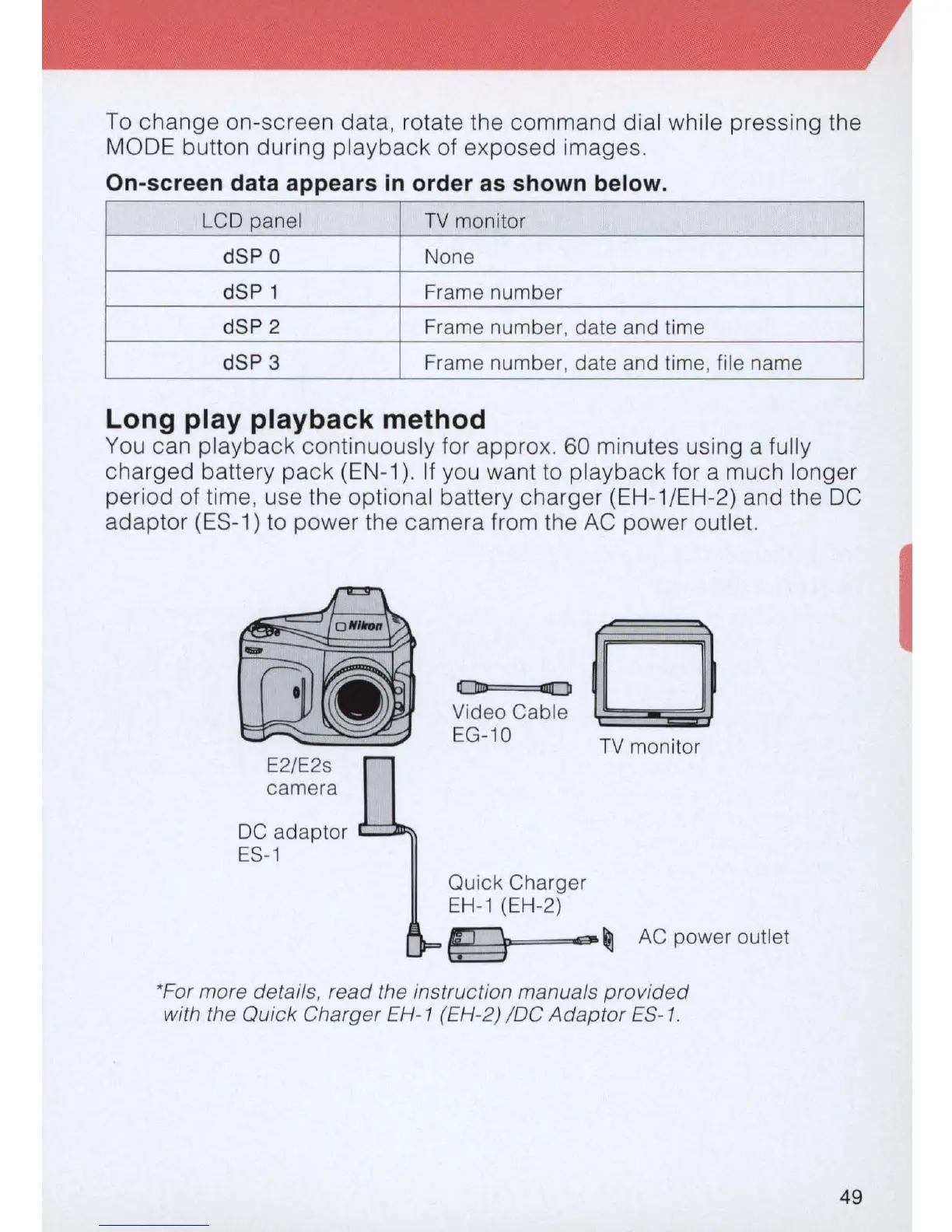
Long play playback method
You
can playback continuously for approx.
60
minutes using a fully
charged battery pack (E
N-
1
).
If you want to playback for a much longer
period of time, use the optional battery charger
(E
H-1/
EH
-2) and the DC
adaptor (ES-1) to power the camera from the
AC
power outlet.
camera
DC
adaptor
ES-1
o
iII[JJ
Video Cable
EG-10
Quick Charger
EH-1
(EH-2)
TV
monitor
~
...
~
AC
power outlet
*For more details, read the instruction manuals
provided
with the Quick Charger EH-1 (EH-2)
loC
Adaptor
ES-1
.
49



 To Next Page